
Short answer. Google Ads MCP is Google's official, open-source MCP server for the Google Ads API (github.com/googleads/google-ads-mcp). It connects an AI agent such as Gemini CLI, Claude Code, Codex or Cursor to your account: the agent reads campaigns, costs and conversions through Google Ads Query Language (GAQL), and since version 0.0.6 (November 2026) it can also create assets and manage labels after you confirm. It cannot change campaigns, budgets or bids. You run the server yourself, on your computer or on Cloud Run, and since September 2026 your Google Cloud project, not a developer token, decides your API access. Below we cover what it does, the setup, and the conversion checks we did by hand in two client accounts that an agent can now run first.
What is Google Ads MCP?
Google Ads MCP is a connection between the Google Ads API and AI tools, built by Google's Ads developer team and published on GitHub under the Apache 2.0 licence. It uses the Model Context Protocol (MCP), so any agent that speaks MCP can use it. If MCP is new to you, start with What is an MCP server?. The latest release as of November 2026 is v0.0.6, from 2 November 2026, so expect tools and names to keep changing.
One difference from its sibling matters in practice. Meta Ads MCP is a server Meta hosts at a fixed address: you add the URL and sign in with Facebook. Google's server is software you run. Locally, your AI tool starts it and it signs in with your Google credentials. For a shared setup you deploy it to Cloud Run with your own OAuth client.
Third-party Google Ads MCP servers also exist, often bundled with other ad platforms. Before you connect one, check who runs it, where your Google login tokens are stored and which write tools it exposes. In this guide we stick to the official server, because account access stays between your Cloud project and Google.
What can an AI agent do with Google Ads MCP?
Version 0.0.6 has seven tools in five groups. Each tool name starts with its group, so you can switch whole groups off. Next to the tools sit four reference resources: the API's discovery document, the metric and segment references and the latest release notes.
- Tool: customers_list_accessible_customersWhat the agent does with it: Lists the account IDs your login can reachType: Read
- Tool: search_searchWhat the agent does with it: Builds and runs GAQL queries: campaigns, costs, conversions, search termsType: Read
- Tool: metadata_get_resource_metadataWhat the agent does with it: Looks up which fields a resource such as campaign can returnType: Read
- Tool: assets_create_assetWhat the agent does with it: Creates text, image, sitelink, callout and other assetsType: Write, with confirm
- Tool: assets_upload_video_assetWhat the agent does with it: Uploads a local video to YouTube for use in adsType: Write, with confirm
- Tool: labels_manage_labelsWhat the agent does with it: Creates, updates and removes labelsType: Write, with confirm
- Tool: labels_manage_label_associationsWhat the agent does with it: Attaches labels to campaigns, ad groups and keywordsType: Write, with confirm
| Tool | What the agent does with it | Type |
|---|---|---|
| customers_list_accessible_customers | Lists the account IDs your login can reach | Read |
| search_search | Builds and runs GAQL queries: campaigns, costs, conversions, search terms | Read |
| metadata_get_resource_metadata | Looks up which fields a resource such as campaign can return | Read |
| assets_create_asset | Creates text, image, sitelink, callout and other assets | Write, with confirm |
| assets_upload_video_asset | Uploads a local video to YouTube for use in ads | Write, with confirm |
| labels_manage_labels | Creates, updates and removes labels | Write, with confirm |
| labels_manage_label_associations | Attaches labels to campaigns, ad groups and keywords | Write, with confirm |
Google's guide is clear about the limits. The server cannot create, change, pause or enable campaigns, ad groups, ads, budgets or bids, and it cannot link the assets it creates to a campaign. For those jobs Google points to companion tools that generate client-library code. So an agent connected to the official server can analyse almost anything, but it cannot move money on its own.
Every write tool runs in two steps. First the agent proposes: the server runs a dry run (validate_only) and returns a readable list of changes plus a checksum. Only after you approve does the agent call the tool again with the same parameters and that checksum. Google adds a caution worth repeating: the checksum stops accidental drift between turns, but it is not access control. To block writes for real, switch the write groups off.
One small tools_config.yaml with labels and assets set to false makes the server read-only. List every group you want on: any group you leave out of the file is switched off too.
Developer token, access levels and limits in 2026
Older guides tell you to request a developer token from a manager account first. That changed. Google sunset developer tokens on 9 September 2026: active tokens had their access level moved to the Google Cloud projects they were used with, and the API now ignores the token if you still send it. Your access level comes from the Cloud project that owns your OAuth client or service account.
Enabling the Google Ads API in a project gives Test access, which works only with test accounts. To query real accounts, the project needs Explorer, Basic or Standard access, requested from the Google Ads API overview page in the Cloud console. Without it, calls to a live account fail with CLOUD_PROJECT_NOT_APPROVED_FOR_PRODUCTION.
- Access level: TestAccounts: Test accounts onlyAPI operations per day: 15,000
- Access level: ExplorerAccounts: Test and live accountsAPI operations per day: 2,880 on live accounts
- Access level: BasicAccounts: Test and live accountsAPI operations per day: 15,000
- Access level: StandardAccounts: Test and live accountsAPI operations per day: Unlimited
| Access level | Accounts | API operations per day |
|---|---|---|
| Test | Test accounts only | 15,000 |
| Explorer | Test and live accounts | 2,880 on live accounts |
| Basic | Test and live accounts | 15,000 |
| Standard | Test and live accounts | Unlimited |
For a reporting agent on one or two accounts, Explorer is usually enough: 2,880 operations a day is two a minute, around the clock. It does block some services, including keyword planning, audience insights, user management, account creation and billing. Separately from daily quotas, the API limits requests per second per account and per Cloud project, and answers too many calls with RESOURCE_TEMPORARILY_EXHAUSTED. Ask for one well-scoped report rather than twenty small ones.
What should an agent check first? Conversion goals
Smart Bidding spends toward whatever the account counts as a primary conversion. If that count is wrong, every later optimisation is judged against the wrong number, by you or by an agent. We learned this in two accounts. Neither project used an MCP server; these are the checks we did by hand, and they are exactly the questions an agent with read access can now answer in minutes.
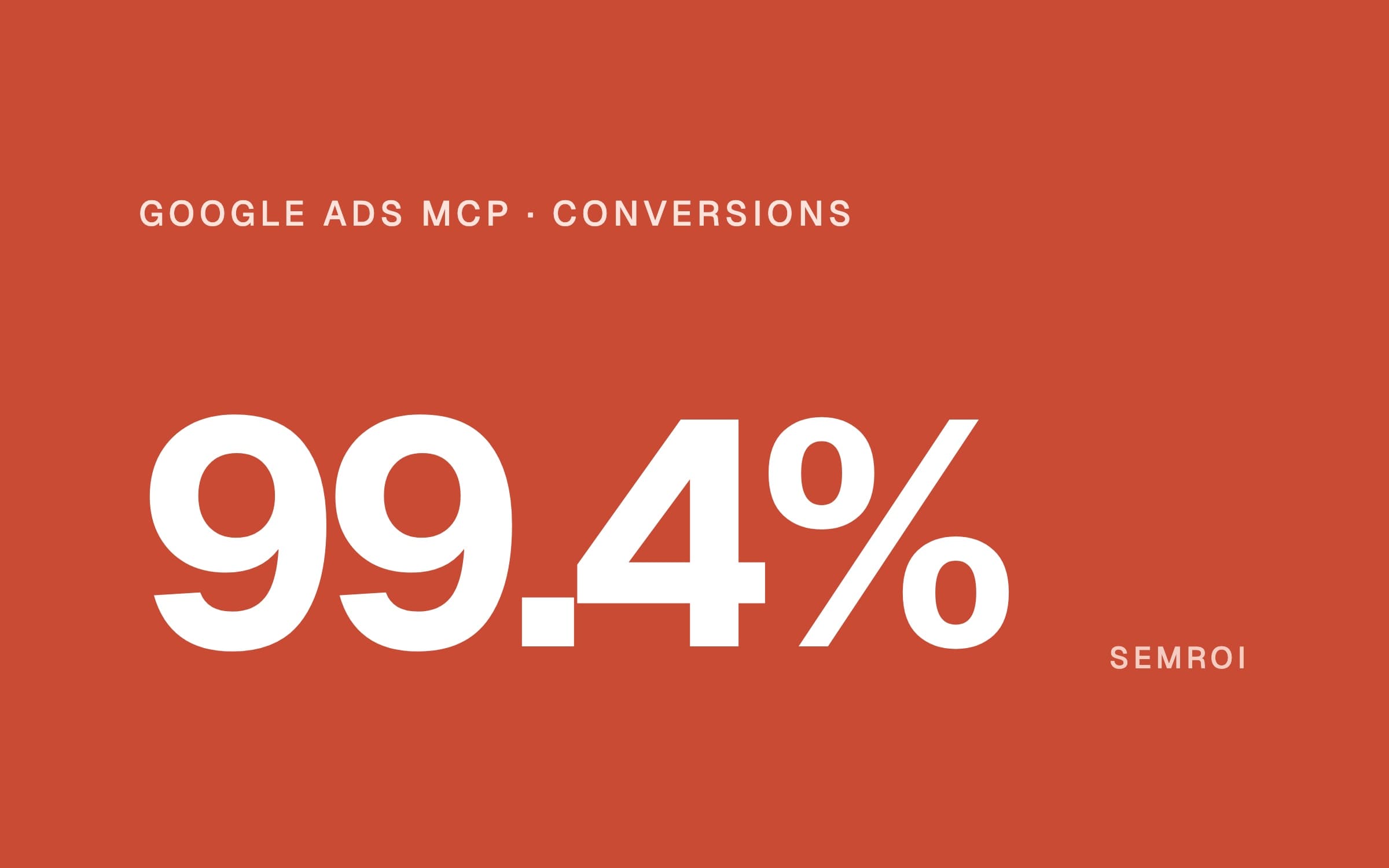
The first is a dental tourism clinic in Türkiye, described in our Google Ads for dentists case study. When we took over the account in December 2025, 99.4% of the conversions it had reported in the previous 11 months were page views. A page-view conversion had been set up during a call with a Google Ads representative, and every campaign's automated bidding was learning from it. Cost per conversion looked excellent while real enquiries fell 87%. We made enquiries (WhatsApp, form, call, e-mail) the only primary conversions, counted once per enquiry. In our first 11 months, real enquiries per 1,000 ad clicks rose from 11.3 to 26.0.
- of reported conversions were page views
- 99.4%
- enquiries per 1,000 clicks after the fix
- 2.3×
- store orders vs GA4 purchases in one week
- 92 vs 49
The second is a US industrial parts retailer on BigCommerce, from our GA4 audit case study. Google Ads imported its purchase conversion from GA4. In the week of 20–27 September 2026 the store recorded 92 orders and GA4 only 49, so Google Ads undercounted too and bidding learned from part of the picture. We matched every order number against GA4, ruled out six causes and took a repeatable test to BigCommerce, which accepted it as a platform bug. No change inside Google Ads would have brought those conversions back.
Both problems were invisible in the normal reports. Both show up as soon as someone asks the right questions in the right order. That is where an agent connected to Google Ads earns its place:
- Which actions are primary? List every enabled conversion action with its category and whether it is primary. A page view, an add-to-cart or an engagement action set as primary is a warning sign.
- What fills the Conversions column? Break the last 90 days of conversions down by action. If one cheap action makes up most of the total, bidding is learning from it.
- How is each action counted? Leads should usually count once per click; purchases can count every time. A form that counts many times per click inflates results.
- Where do conversions come from? If Google Ads imports them from GA4, a gap in GA4 is a gap in Google Ads. Give the agent a week of store orders or CRM leads and have it match them one by one.
- Is cost per conversion too good? A sudden drop in cost per conversion while real enquiries or orders fall is the pattern from the clinic account. Have the agent flag it every week.
- Only then the rest. Search terms, negative keywords, locations, devices and campaign structure come after the goal is right, because they are judged by the conversions bidding sees.
The query behind the first check
The search_search tool builds GAQL from structured parameters, so you can simply ask: "List my enabled conversion actions with category, primary setting and counting type for account 1234567890." Under the hood that is roughly this query. The fields come from Google's conversion_action reference; primary_for_goal is the field that decides whether bidding can use an action.
SELECT
  conversion_action.name,
  conversion_action.category,
  conversion_action.primary_for_goal,
  conversion_action.counting_type,
  conversion_action.status
FROM conversion_action
WHERE conversion_action.status = 'ENABLED'A conversion that costs almost nothing usually means almost nothing. If an agent reports a great cost per conversion, have it show which action produced it before anyone raises the budget.
Why read access and human approval come first
In the clinic account the mistake was one setting, made in good faith, that quietly retrained every campaign. An agent can make the same kind of change faster. So the safe start is the one Google's own design points to: read first, write only through a confirm step, and keep anything that changes what bidding learns or spends with a person. We write these rules into the agent's instruction file for every account:
- One account, by ID.
list_accessible_customersshows every account your login reaches, and a manager account ID (login-customer-id) opens all its clients. Name the single customer ID the agent may query. - Conversion goals are a human decision. Which action is primary, how it is counted and where it is imported from change what bidding learns. The agent proposes, with numbers; a person changes the setting.
- Budgets, bids and status stay with you. The official server cannot touch them. If you add generated scripts for those jobs, each script is read and approved before it runs.
- Write groups off until needed. Turn on
assetsorlabelsfor a specific task, then off again. Never approve a proposal you have not read line by line. - Credentials stay out of shared files. In local mode the credentials file path sits in your AI tool's config. If configs are synced or shared, Google recommends the container or Cloud Run setup instead.
- Account data goes to the model. Google's README says it plainly: connecting an agent exposes the account data you can access to that AI client. Choose the client and its data settings with that in mind.
Google Ads MCP setup: step by step
- Prepare a Cloud project. Create or pick a Google Cloud project and enable the Google Ads API. This gives Test access.
- Request access to live accounts. On the Google Ads API overview page in the Cloud console, apply for Explorer access (or Basic if you need more). No developer token is needed.
- Install the local tools. Python,
pipxand thegcloudcommand-line tool. - Sign in. Create an OAuth client in the project, download its JSON file and run the first command below with the Google Ads scope. Note the credentials path it prints.
- Add the server to your AI tool. Paste the
mcpServersblock into your client's MCP config. Google's guide names~/.gemini/settings.jsonfor Gemini CLI and~/.claude/settings.jsonfor Claude Code; Cursor and VS Code use the same block. - Make it read-only. Save the
tools_config.yamlbelow and pointGOOGLE_ADS_MCP_TOOLS_CONFIGin the sameenvblock to it. If you work through a manager account, also setGOOGLE_ADS_LOGIN_CUSTOMER_ID(10 digits, no hyphens). - Start with questions. "What customers do I have access to?", then the conversion checks above. Compare the agent's numbers with the Google Ads interface for the first week.
gcloud auth application-default login \
  --scopes=https://www.googleapis.com/auth/adwords,https://www.googleapis.com/auth/cloud-platform \
--client-id-file=PATH_TO_CLIENT_SECRET_JSON{
"mcpServers": {
"google-ads-mcp": {
"command": "pipx",
"args": [
"run",
"--spec",
"google-ads-mcp==0.0.6",
"google-ads-mcp"
],
"env": {
"GOOGLE_CLOUD_PROJECT": "PROJECT_ID",
"GOOGLE_APPLICATION_CREDENTIALS": "PATH_TO_CREDENTIALS_JSON"
}
}
}
}namespaces:
customers: true
search: true
metadata: true
labels: false
assets: falseThe commands and blocks above are copied from Google's guide; replace PATH_TO_CLIENT_SECRET_JSON, PROJECT_ID and PATH_TO_CREDENTIALS_JSON with your own values. To use the server from Claude or ChatGPT on the web, or to share it in a team, deploy it to Cloud Run with an OAuth web client and add its /mcp address as a custom connector; Gemini CLI then connects with an httpUrl entry instead of a command. Google's guide warns never to deploy with public access unless the OAuth client variables are set. Google also publishes agent skills for the server, including google-ads-api-account-diagnostics, which looks for conversion loss, low lead volume and lost impression share; you install them with npx skills add google/skills/skills/ads. For the Claude side of the connection (custom connectors, Claude Code), see our Claude MCP guide.
Google Ads interface or an agent?
- Job: Changing one bid or budgetGoogle Ads interface: Done hereAgent with Google Ads MCP: Not possible with the official server
- Job: Auditing conversion actionsGoogle Ads interface: Screen by screenAgent with Google Ads MCP: One question, one table
- Job: Comparing periods, campaigns, devicesGoogle Ads interface: Reports and exportsAgent with Google Ads MCP: Summarised, with the query shown
- Job: Matching conversions to orders or CRM leadsGoogle Ads interface: Not availableAgent with Google Ads MCP: With your export, row by row
- Job: Adding sitelinks and calloutsGoogle Ads interface: Done hereAgent with Google Ads MCP: Creates them after you confirm; linking is manual
| Job | Google Ads interface | Agent with Google Ads MCP |
|---|---|---|
| Changing one bid or budget | Done here | Not possible with the official server |
| Auditing conversion actions | Screen by screen | One question, one table |
| Comparing periods, campaigns, devices | Reports and exports | Summarised, with the query shown |
| Matching conversions to orders or CRM leads | Not available | With your export, row by row |
| Adding sitelinks and callouts | Done here | Creates them after you confirm; linking is manual |
In short: work that reads, compares and connects Google Ads with your store or CRM goes to the agent. Decisions about goals, budgets and bids stay with people. If you also run Meta, the same split applies; see our Meta Ads MCP guide for the rules we use there, and how to build an AI agent if you want your own agent around both. If you are also testing ads inside AI answers, see our first ChatGPT Ads campaign.
What is Google Ads MCP?
It is Google's official, open-source MCP server for the Google Ads API, published at github.com/googleads/google-ads-mcp. It lets an AI tool that supports MCP, such as Gemini CLI, Claude Code, Codex or Cursor, query your Google Ads account in plain language and, after you confirm, create assets and manage labels.
Is the Google Ads MCP server free?
The code is open source under the Apache 2.0 licence and free to run. Your costs are your AI tool's subscription, Cloud Run if you host it there (Google's Cloud Run guide needs a project with billing enabled) and your ad spend.
Can Google Ads MCP change my campaigns, budgets or bids?
No. As of version 0.0.6 (November 2026) the official server cannot create, change, pause or enable campaigns, ad groups, ads, budgets or bids. Its only write tools create assets, upload videos and manage labels, and each one needs a confirm step. You can also switch them off for a strictly read-only setup.
Do I still need a Google Ads API developer token?
No. Google sunset developer tokens on 9 September 2026. Access now depends on the Google Cloud project that owns your OAuth client or service account. A new project gets Test access; for live accounts, apply for Explorer, Basic or Standard access in the Cloud console.
Which AI tools work with Google Ads MCP?
Any client that speaks MCP. Google's docs show setups for Gemini CLI, Google Antigravity, Claude Code, Codex, Cursor and VS Code. Claude and ChatGPT on the web connect through a custom connector to a copy you deploy on Cloud Run with OAuth.
What should an AI agent check first in a Google Ads account?
What the account counts as a conversion: which actions are primary, how each is counted, and whether the totals match your real orders or enquiries. In a dental clinic account, 99.4% of reported conversions were page views; once enquiries became the only primary conversion, enquiries per 1,000 clicks rose 2.3 times.
Sources
- GitHub: googleads/google-ads-mcp, README and releases
- Google for Developers: Google Ads MCP server, developer integration guide
- Google Ads API: Developer token (sunset 9 September 2026)
- Google Ads Developer Blog: A new onboarding experience for Google Ads API developers
- Google Ads API: Access levels and permissible use
- Google Ads API: API limits and quotas
- Google Ads API: Rate limits
- Google Ads API: AI agent skills
- Google Ads API: conversion_action fields reference
- Google Ads Help: About primary and secondary conversion actions
- Google Ads
- MCP
- AI agent