Skip to content
SEMROI
Case study · Analytics & paid media

GA4 audit: why 43 of 92 store orders never reached GA4

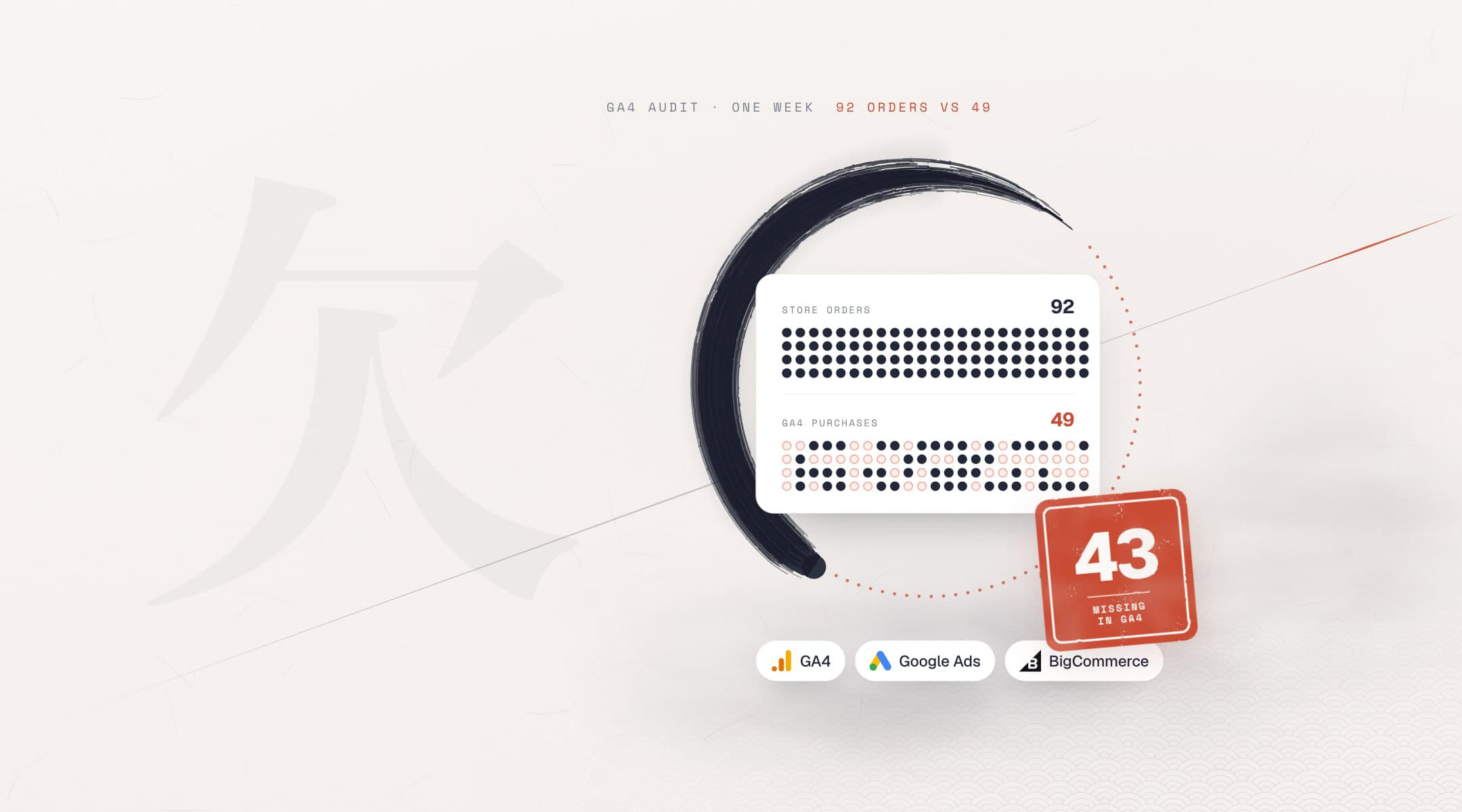
A GA4 audit for a US industrial parts retailer on BigCommerce found that in one week, 20–27 Sep 2026, the store recorded 92 orders and GA4 only 49. We reconciled order by order, ruled out six causes and took the evidence to BigCommerce, which accepted it as a platform bug. By 19–26 Oct, GA4 captured about 85% of orders again; the platform fix is pending.

Client
A US industrial parts retailer (name withheld)
Sector
B2B e-commerce
Market
United States
Timeline
Sep – Nov 2026
Platforms
BigCommerce, GA4, Google Ads
Our roles
GA4 audit, order reconciliation, platform escalation, enhanced conversions check
  • GA4 audit
  • Order reconciliation
  • Google Ads
  • Enhanced conversions
  • BigCommerce
store orders missing from GA4, 20–27 Sep 2026
43 of 92
purchase capture from 21 Sep 2026, down from about 89%
50%
of that week’s store revenue visible in GA4
30%
possible causes tested and ruled out
6
of orders captured again, 19–26 Oct 2026
85%

Sources: store order export and GA4 (order-confirmation views, purchase events), Sep – Oct 2026; test orders, Nov 2026.

The challenge

Why was GA4 not tracking purchases?

The retailer sells industrial parts in the United States through a BigCommerce store. GA4 receives a purchase event when an order is placed, and Google Ads imports that purchase as its conversion. From 21 Sep 2026, part of the checkout orders stopped reaching GA4, while views of the order-confirmation page kept being recorded.

What we set out to do
  • Find which orders GA4 was missing, and what they share43 of 92 found
  • Rule out causes inside the store’s own setup6 causes ruled out
  • Get the cause accepted and fixed at the sourcePlatform bug accepted
  • Make each purchase carry the customer’s data, not the store’sFixed, Nov 2026
  • Half the purchase events missing

    From 21 Sep 2026, about 50% of order-confirmation views produced a purchase event in GA4. From 1 to 20 Sep, about 89% had.

  • Google Ads conversions undercounted

    Google Ads imports the GA4 purchase as its conversion, so orders that came from ads were undercounted too.

  • Bidding learning from partial data

    Automated bidding optimizes toward the conversions it can see. With orders missing, it was learning from part of the picture.

  • No obvious cause

    Confirmation pages were still recorded in GA4, so the tag was loading. Something between the page and the purchase event was failing.

What we did

How the GA4 audit traced the missing orders

We started from the store’s own orders, not from GA4 reports. Each step narrowed the cause until only the platform was left. Then we gave BigCommerce a test it could repeat.

Audit stepsSep – Nov 2026

BigCommerce’s engineering fix was still pending at the time of writing.

  1. ReconcileSep 2026

    Every store order matched against GA4

    • We matched each store order for 20–27 Sep 2026 against the purchase events in GA4, using the order number both systems record.
    • The store recorded 92 orders and GA4 49. The 43 missing orders were real checkout orders.

    Outcome43 of 92 orders missing; GA4 showed about 30% of that week’s store revenue.

  2. DiagnoseSep 2026

    Confirmation views against purchase events, day by day

    • From 1 to 20 Sep, about 89% of order-confirmation views produced a purchase event. From 21 Sep, about 50% did.
    • The page view arriving without the purchase ruled out tag blocking and consent. The internal-traffic filter, manual or marketplace orders, incomplete orders and value definition were ruled out too.
    • The loss concentrated on desktop Chrome and Edge.

    OutcomeSix causes ruled out. The fault sat in how the purchase event was sent.

  3. EscalateOct 2026

    A test BigCommerce could repeat

    • We wrote a controlled test-order procedure: what to order, on which browser, and what GA4 should receive.
    • We escalated it to BigCommerce with the reconciliation and the daily comparison.

    OutcomeBigCommerce accepted it as a platform bug and opened an engineering ticket.

  4. Re-check19–26 Oct 2026

    Missing orders measured again

    • The same order-by-order reconciliation, run on a later week.
    • 11 of 74 store orders were missing in GA4, about 15%.

    OutcomeCapture back near 85% while the platform fix is pending.

  5. Enhanced conversionsNov 2026

    Enhanced conversions checked with a real order

    • A test order showed the purchase event sending the store’s own e-mail address as user data, instead of the customer’s.
    • This was fixed so the purchase carries the customer’s details, hashed. A second test order confirmed it.

    OutcomePurchases now carry the customer’s hashed details, not the store’s.

Audit stepsSep – Nov 2026
01ReconcileSep 2026

Every store order matched against GA4

  • We matched each store order for 20–27 Sep 2026 against the purchase events in GA4, using the order number both systems record.
  • The store recorded 92 orders and GA4 49. The 43 missing orders were real checkout orders.

Outcome43 of 92 orders missing; GA4 showed about 30% of that week’s store revenue.

02DiagnoseSep 2026

Confirmation views against purchase events, day by day

  • From 1 to 20 Sep, about 89% of order-confirmation views produced a purchase event. From 21 Sep, about 50% did.
  • The page view arriving without the purchase ruled out tag blocking and consent. The internal-traffic filter, manual or marketplace orders, incomplete orders and value definition were ruled out too.
  • The loss concentrated on desktop Chrome and Edge.

OutcomeSix causes ruled out. The fault sat in how the purchase event was sent.

03EscalateOct 2026

A test BigCommerce could repeat

  • We wrote a controlled test-order procedure: what to order, on which browser, and what GA4 should receive.
  • We escalated it to BigCommerce with the reconciliation and the daily comparison.

OutcomeBigCommerce accepted it as a platform bug and opened an engineering ticket.

04Re-check19–26 Oct 2026

Missing orders measured again

  • The same order-by-order reconciliation, run on a later week.
  • 11 of 74 store orders were missing in GA4, about 15%.

OutcomeCapture back near 85% while the platform fix is pending.

05Enhanced conversionsNov 2026

Enhanced conversions checked with a real order

  • A test order showed the purchase event sending the store’s own e-mail address as user data, instead of the customer’s.
  • This was fixed so the purchase carries the customer’s details, hashed. A second test order confirmed it.

OutcomePurchases now carry the customer’s hashed details, not the store’s.

The data

Share of store orders GA4 recorded, by week

We matched store orders to GA4 order by order in three weeks: before the loss, the worst week and after the escalation. Each bar is the share of that week's store orders found in GA4.

lowest week, 20–27 Sep
53%
after escalation, 19–26 Oct
85%
Orders found in GA4Sep – Oct 2026
Bar chart: GA4 recorded 86.5% of store orders on 1–14 Sep 2026, 53.3% on 20–27 Sep and 85.1% on 19–26 Oct.

Sources: store order export, GA4. Order-by-order match.

What we learned

  1. Reconcile against orders, not dashboards

    A GA4 total can look plausible while orders are missing. Matching each store order to its purchase event shows which ones are gone and what they have in common.

  2. Compare a page view with the event it should send

    If the confirmation page is recorded but the purchase is not, the tag is loading. That rules out blocking, consent and filters in one step and points to whatever sends the event.

  3. Give the platform a test it can repeat

    Support teams act on cases they can reproduce. A written test-order procedure, with what should arrive and what did, turned a reporting gap into an engineering ticket.

  4. A setting being on is not proof

    A tracking setting can be switched on and still send the wrong person’s data. Only a real test order shows what the purchase event actually carries.

FAQ

Questions about GA4 audits

Something else? Email hello@semroi.net, or read our GA4 cross-domain tracking guide.

  • What does a GA4 audit check?

    A GA4 audit, or Google Analytics audit, checks that what GA4 records matches what happened. For an online store, that means comparing GA4 purchases with the store’s own orders, checking values, filters, consent and tags, and confirming Google Ads imports the right conversion.

  • Why is the GA4 purchase event missing for some orders?

    If the confirmation page is recorded but the purchase event is not, the tag is loading, so blocking and consent are unlikely causes. Look at whatever sends the event. Here it was a platform bug in BigCommerce GA4 tracking, accepted by BigCommerce, hitting desktop Chrome and Edge most.

  • How do you find which orders are missing in GA4?

    Export the store’s orders for a period and match each order number against the transaction IDs in GA4. Orders with no match are missing. In this audit, 20–27 Sep 2026 had 92 store orders and 49 in GA4. Daily confirmation views against purchase events showed when the loss began.

  • Why are Google Ads conversions not tracking all orders?

    When Google Ads imports its purchase conversion from GA4, every purchase GA4 misses is missing in Google Ads too, and automated bidding learns from partial data. Check GA4 against store orders first. Changes on the Google Ads side alone will not bring those conversions back.

  • How do you check that enhanced conversions send the right data?

    Place a real test order and inspect the purchase event it sends. In this audit, the event sent the store’s own e-mail address as user data instead of the customer’s. After the fix, a second test order confirmed the purchase carries the customer’s details, hashed.

Do your GA4 purchases match your orders?

Share a week of store orders and read access to GA4. We will match them order by order and tell you what we find.

Illustration: a Japanese archery target with grey arrows in the outer rings and red arrows in the centre, marked 2.3× enquiries per 1,000 clicks
Next case study · Healthcare
Google Ads for dentists: fixing what the account learned