
Skip to content
SEMROI
Case study · AI in sales management

Sales reporting with AI: the sales manager writes, the agent reports

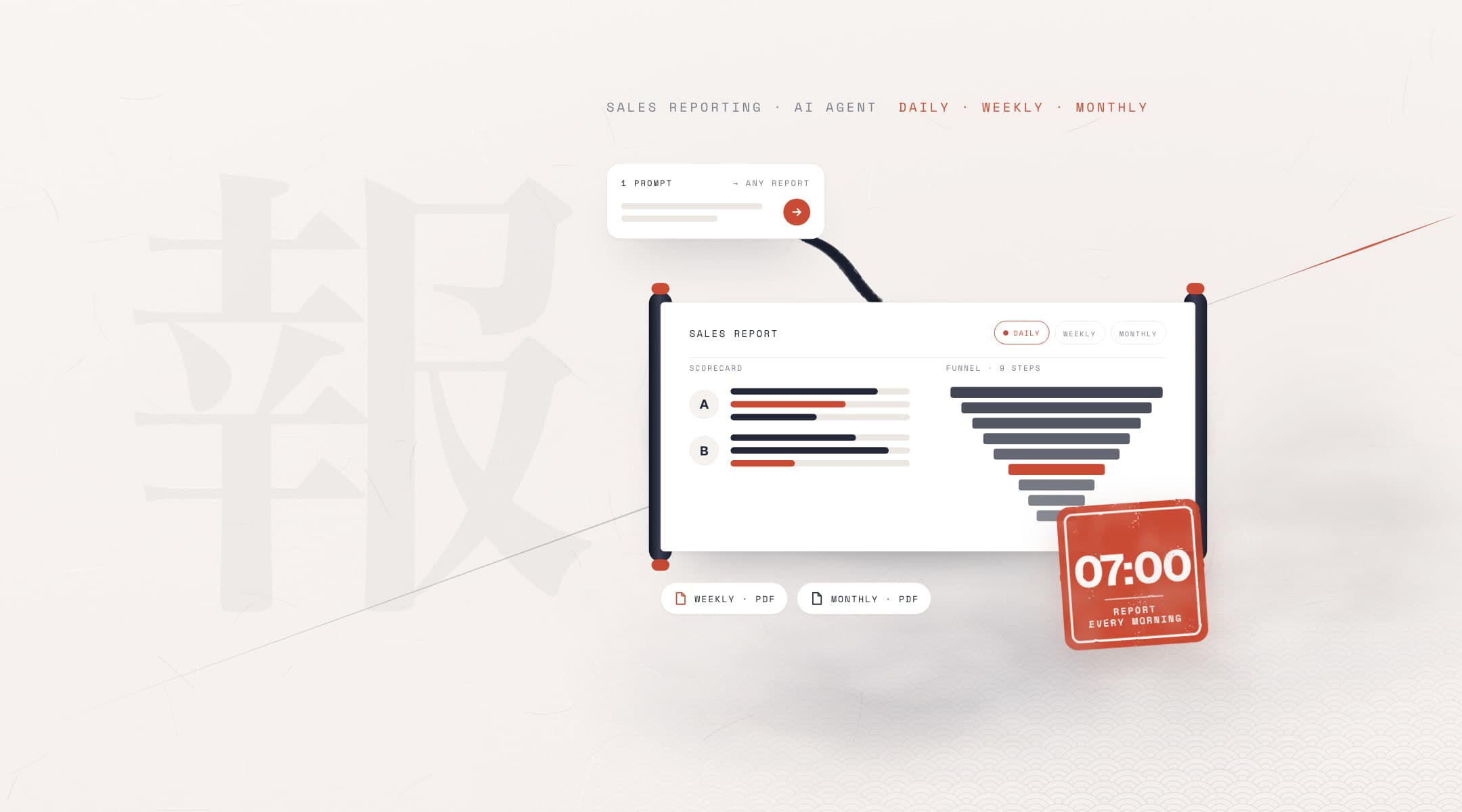
Sales reporting at a health tourism clinic in Türkiye is now a chat: the sales manager writes one sentence to an AI agent, which prepares a cleaned report for the requested rep, pipeline and period. Imports and bot messages made the CRM's built-in reports misleading. The daily report lands every morning at 7:00 am; rep scorecards arrive as PDFs every week and at the start of each month.

Client
A health tourism clinic
Sector
Healthcare · Health tourism
Market
Türkiye
Timeline
Jun – Nov 2026
Interface
A chat: no code, no dashboard. The person who runs the team writes to an AI agent.
Our roles
Sales reporting system, CRM data cleaning, AI agent setup and a work plan for the sales team
  • Sales reporting
  • AI agent
  • CRM data
  • Rep scorecard
  • Automated PDF report
  • Sales management
reply time that looked like 4 hours, imports set aside
<30 min
report types; the 5th, active follow-up, is rolling out
5
automatic schedules, one trigger: daily, weekly, monthly
3
sections per rep scorecard: 9-stage funnel, 9 reply buckets
7
is enough for any custom report: rep, pipeline, period
1 prompt

Sources: Kommo data, report templates and the automated report schedule, Jun – Nov 2026. Reply time: one rep's monthly median.

The challenge

How do you manage a sales team when the numbers mislead?

Our client is a health tourism clinic in Türkiye serving international patients. Its sales team handles leads in Kommo CRM, in shifts. The sales manager's questions were clear: who replies how fast, at which stage are leads waiting, where are sales slipping away? The built-in reports did not answer them, and the numbers they did give were misleading.

What we had to deliver
  • Clean the CRM data and show each rep's real performance7-section scorecard
  • Send reports every morning and every week, with no one preparing themDaily, weekly, monthly
  • Make every new question answerable in a single sentenceBy chat, one sentence
  • Show each lead's status today, rep by repBeing rolled out
  • Bulk records from the previous CRM

    Records bulk-imported from the old system were counted as new leads. That is why one rep's reply time looked close to 4 hours.

  • Bot messages that looked like rep work

    The sales bot's bulk messages sat in the same list as the messages reps wrote themselves. Reply and contact numbers did not show reality.

  • Calls logged as notes

    Some calls were entered as free-text notes. The built-in reports did not count them as calls, so they understated the rep's work.

  • A different stage name in every pipeline

    The same stage was spelled differently in each rep's pipeline, and one had a typo. Putting the pipelines side by side to compare them was impossible.

How it works

From raw CRM data to a report you can trust

Every report takes the same path: data is read from Kommo, a cleaning layer separates misleading records, and the report is built as a branded PDF. A single trigger finds the reports that are due.

Kommo data
  • Leads and stages
  • Messages and calls
  • Notes and tags
  • Each rep's sales pipeline
Cleaning layer
  1. Set bulk imports aside
  2. Remove bot messages
  3. Count calls logged in notes
  4. Align stage names
Reports
  • Daily, 7:00 amDaily lead report: incoming leads, split by rep, sales closed that day
  • MondayWeekly rep scorecard, a separate PDF per rep, all in one email
  • 1st of the monthMonthly rep scorecards and last month's closing report
  • On requestGeneral sales report, lead arrival times and any custom cut
  • Being rolled outActive follow-up report: each lead's status today, rep by rep

The reports only read; they never change a lead in Kommo.

Works by chat

Write one sentence, get the report

The interface is a chat: no code, no dashboard. The sales manager tells the AI agent what they need; the agent prepares the report, checks it and reports back.

"Can you pull A's October performance with the most detailed template?"

For you, tooWe build agentic processes for you: SEMROI runs this system for you or hands it over to your team. All it takes to use it is one written sentence.AI agent development
One report request
sales manager → AI agent
AI agent
  1. 01
    Sales manager writes the request in plain wordsSales manager
    ask: rep=A · month=2026-10 · template=most_detailed
  2. 02
    The agent turns it into a report type and a cutAgent
    report: rep_scorecard · rep: A · period: 2026-10-01..2026-10-31
  3. 03
    Only A's sales pipeline is readRead
    kommo: leads · stages · messages · notes (read-only)
  4. 04
    Bulk imports and bot messages are set asideCleaned
    clean: bulk_import · bot_message · call_in_note · stage_name
  5. 05
    The agent builds the PDF and checks the numbersChecked
    pdf: sections=7 · funnel_stages=9 · reply_buckets=9
  6. 06
    Sales manager reads, then asks the next questionSales manager
    ask: compare(A, B)

Simplified view; reps shown as A and B. Runs in any agent harness.

What we did

How we built the sales reporting system, step by step

First the numbers had to be right, then the reports had to arrive on their own, and finally every new question had to be answerable in one sentence. The sales manager's questions shaped each step; every rule went into the system's runbook with its date and reason.

WorkstreamsJun – Nov 2026

Runs on the clinic's existing Kommo account; no new software was bought.

  1. Honest numbers

    Cleaning the data before the report

    • Records bulk-imported from the previous CRM are recognised by a single rule. They sit on their own row in the rep scorecard and never enter any number in the daily report.
    • Bot messages are removed from rep work, calls written as notes count as calls, and stage names spelled differently in each pipeline merge into one shared sales funnel.
    • In the general sales report no lead is counted twice: each lead is booked to the day it arrived, and total sales equal the number of sold leads exactly.

    OutcomeA reply time that looked like 4 hours was under 30 minutes once imports were set aside.
  2. Sales rep scorecard

    A rep's real performance, in seven sections

    • Performance summary, sales success rate, reply time, stage transition times, rep activity, source analysis and leads by day.
    • A nine-stage funnel from first arrival to the clinic visit. Reply time is shown in nine buckets, from under five minutes to over 24 hours.

    OutcomeWho replies how fast, and where leads are waiting, is visible in a single PDF.

  3. Automated reports

    One trigger, three schedules

    • Every morning at 7:00 am a single trigger checks which reports are due that day: the daily lead report every day, rep scorecards on Mondays and on the 1st of the month.
    • Adding a new report means adding one entry. The same report never goes to the same people twice; the email is short, and the detail is in the attached PDF.

    OutcomeWith automated sales reporting, no one prepares the report; the sales manager starts the day with it.

  4. Reporting by chat

    Every custom cut is one sentence away

    • Rep, pipeline, period, leaving someone out of the report or seeing everyone in one table: all of it is asked for in a plain sentence. Frequent reports are remembered by name.
    • The AI agent writes every new decision into the system's runbook with its date and reason; the next request is handled by the same rules.

    OutcomeA custom report no longer needs a ticket for anyone; one sentence is enough.

  5. From data to management

    A work plan for the sales team, built from report data

    • Starting from the leaks the reports revealed, we wrote stage standards, reply targets, daily routines and a weekly scorecard rhythm.
    • Each report was tied to one management question: the daily report answers volume and sales, the scorecard the rep, the general report the period, arrival times the shift plan.

    OutcomeSales management turns from a monthly guess into a weekly routine.

  6. Active follow-upBeing rolled out

    A snapshot of every lead, today

    • For each lead in an active stage: who sent the last message, how many days it has been in the same stage, when the last contact was. Leads where the customer wrote last come first.
    • Reply time is measured separately when the customer's message arrived during the rep's working hours; the hours come from the shift rota.

    OutcomeIt will be the sales manager's daily exception list, showing which leads need a reply today.

WorkstreamsJun – Nov 2026
01Honest numbers

Cleaning the data before the report

  • Records bulk-imported from the previous CRM are recognised by a single rule. They sit on their own row in the rep scorecard and never enter any number in the daily report.
  • Bot messages are removed from rep work, calls written as notes count as calls, and stage names spelled differently in each pipeline merge into one shared sales funnel.
  • In the general sales report no lead is counted twice: each lead is booked to the day it arrived, and total sales equal the number of sold leads exactly.

OutcomeA reply time that looked like 4 hours was under 30 minutes once imports were set aside.

02Sales rep scorecard

A rep's real performance, in seven sections

  • Performance summary, sales success rate, reply time, stage transition times, rep activity, source analysis and leads by day.
  • A nine-stage funnel from first arrival to the clinic visit. Reply time is shown in nine buckets, from under five minutes to over 24 hours.

OutcomeWho replies how fast, and where leads are waiting, is visible in a single PDF.

03Automated reports

One trigger, three schedules

  • Every morning at 7:00 am a single trigger checks which reports are due that day: the daily lead report every day, rep scorecards on Mondays and on the 1st of the month.
  • Adding a new report means adding one entry. The same report never goes to the same people twice; the email is short, and the detail is in the attached PDF.

OutcomeWith automated sales reporting, no one prepares the report; the sales manager starts the day with it.

04Reporting by chat

Every custom cut is one sentence away

  • Rep, pipeline, period, leaving someone out of the report or seeing everyone in one table: all of it is asked for in a plain sentence. Frequent reports are remembered by name.
  • The AI agent writes every new decision into the system's runbook with its date and reason; the next request is handled by the same rules.

OutcomeA custom report no longer needs a ticket for anyone; one sentence is enough.

05From data to management

A work plan for the sales team, built from report data

  • Starting from the leaks the reports revealed, we wrote stage standards, reply targets, daily routines and a weekly scorecard rhythm.
  • Each report was tied to one management question: the daily report answers volume and sales, the scorecard the rep, the general report the period, arrival times the shift plan.

OutcomeSales management turns from a monthly guess into a weekly routine.

06Active follow-upBeing rolled out

A snapshot of every lead, today

  • For each lead in an active stage: who sent the last message, how many days it has been in the same stage, when the last contact was. Leads where the customer wrote last come first.
  • Reply time is measured separately when the customer's message arrived during the rep's working hours; the hours come from the shift rota.

OutcomeIt will be the sales manager's daily exception list, showing which leads need a reply today.

What we learned

  1. Clean the CRM's raw numbers before you trust them

    Bulk imports, bot messages, calls logged as notes and inconsistently spelled stage names build up in every CRM. A sales report made without separating them leads the team to praise the wrong person, or to question the wrong one.

  2. Read reply time by the median, not the average

    A few very late replies drag the average up by hours. The median shows the typical reply; a nine-bucket distribution shows where slow replies pile up. Together they give a fair picture.

  3. Let every report answer one management question

    The daily report answers volume and sales, the scorecard the rep, the general report the period, arrival times the shifts. A report without a question goes unread, and so does one that asks everything.

  4. Short email, detailed PDF

    The email has only three cards and a short table; the per-rep breakdown and the detail are in the attached PDF. The sales manager reads the email at a glance in the morning and opens the PDF when needed.

  5. The interface can be a chat

    Instead of building a dashboard, we gave the AI agent a runbook: which sentence produces which report, and why each rule exists. A new question is not a new screen, just a new sentence.

FAQ

Questions about AI sales reporting

For the shift side, see our lead routing case; for agents, AI agent examples.

  • How does sales reporting with AI work?

    Reports arrive two ways. Daily, weekly and monthly reports are prepared automatically every morning at 7:00 am and sent by email. For any other question, the sales manager writes one sentence to the AI agent; the agent reads the data from the CRM, cleans it, builds the report as a PDF and checks the result.

  • Do you need a new AI CRM for this?

    No. The system runs on the Kommo account the clinic already uses and only reads the data; it never changes a lead. The problem was not the CRM but the raw data inside it: bulk imports, bot messages, calls logged as notes and inconsistently spelled stage names. The cleaning layer separates them before any report.

  • Why can built-in CRM reporting be misleading?

    Built-in reports count data as it is. Records bulk-imported from an old CRM look like new leads, bot messages count as rep work, and the website WhatsApp button's automatic message passes for a customer reply. Here, a reply time that looked like 4 hours in the raw data was under half an hour with imports set aside.

  • A sales report example: what belongs in a rep scorecard?

    Our scorecard has seven sections: performance summary, sales success rate, reply time, stage transition times, rep activity, source analysis and leads by day. The nine-stage funnel shows where each lead stands; the nine-bucket reply distribution shows where slow replies pile up.

  • How do you measure a rep's reply time fairly?

    Measure from the moment the lead is assigned to the rep to the rep's first real contact: a call, an email or a message that is not from a bot. Look at the median and the buckets. The follow-up report we are rolling out goes one step further: it measures replies to messages that arrive in working hours separately.

  • Can a sales manager use an AI sales assistant without coding?

    Yes. The interface is a chat: no code, no dashboard. The sales manager writes what they need in a plain sentence, for example one rep's scorecard for last month. The AI agent prepares the report, checks it and reports back. SEMROI builds AI agents for business like this one and runs them for you or hands them over.

Still managing your sales team on guesswork?

Tell us which CRM your team works in and which questions you can't answer yet. We'll come back with a plan for reporting and the AI agent behind it.

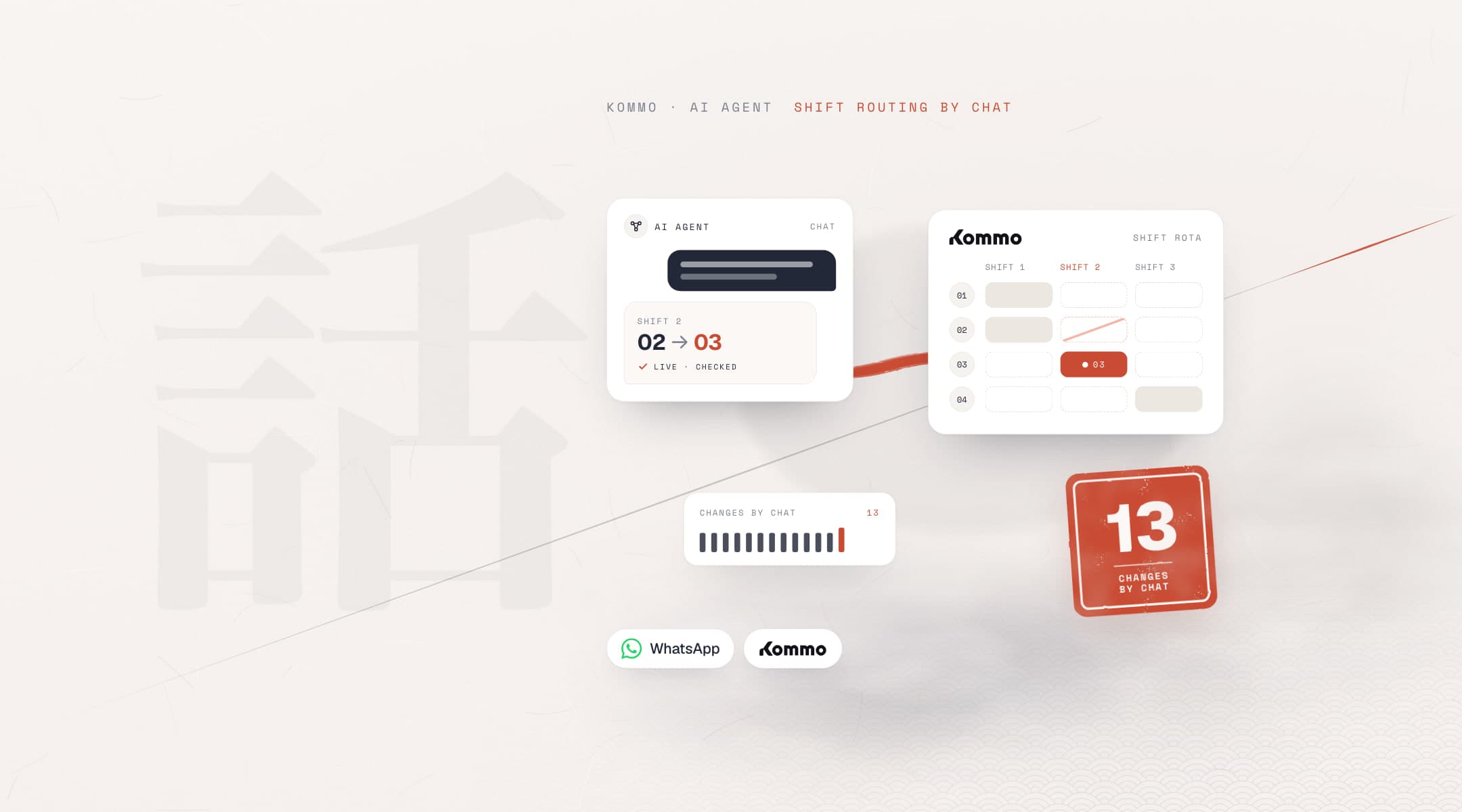
Chat with an AI agent moves shift 2 from rep 02 to 03 in a Kommo shift rota; a tally shows 13 changes made by chat
Next case study · CRM
AI-managed lead routing in Kommo CRM