

Short answer. Business Hub is a dashboard inside ChatGPT, and OpenAI lists no fee for claiming. A business owner or authorised representative claims the business there, verifies it by phone, business email, a DNS record or Shopify, and passes an ID check with Persona. After Persona approval they can edit the business details ChatGPT shows and add a product feed. The Insights tab shows how often ChatGPT mentions the business, how many times its profile was viewed and how many clicks went to the website. OpenAI launched it in beta on 10 November 2026. The notes below come from taking a client of ours, a business with a physical address in Türkiye, through Business Hub: every step, what we saw in the panel, where it differs from OpenAI's help page, and what claiming doesn't change.
Which ChatGPT Business do you mean?
Two different OpenAI products share the name, and Google mixes them up. Search "chatgpt business" today and you get guides to claiming a business next to the paid team plan.
- At a glance: What it isChatGPT Business (the plan): A paid team workspace, formerly ChatGPT TeamBusiness Hub (Businesses in ChatGPT): A listing and dashboard for your company inside ChatGPT
- At a glance: Who it's forChatGPT Business (the plan): Your employees, using ChatGPT at workBusiness Hub (Businesses in ChatGPT): Your customers, who ask ChatGPT about you
- At a glance: PriceChatGPT Business (the plan): Standard seat $25/user/month, or $20 billed annually; Premium $125, or $100 annually; you can start with one paid seatBusiness Hub (Businesses in ChatGPT): No fee listed for claiming
- At a glance: Your dataChatGPT Business (the plan): OpenAI doesn't train on workspace dataBusiness Hub (Businesses in ChatGPT): You publish business details; OpenAI reviews them
- At a glance: WhereChatGPT Business (the plan): chatgpt.com/businessBusiness Hub (Businesses in ChatGPT): chatgpt.com/business-hub
| At a glance | ChatGPT Business (the plan) | Business Hub (Businesses in ChatGPT) |
|---|---|---|
| What it is | A paid team workspace, formerly ChatGPT Team | A listing and dashboard for your company inside ChatGPT |
| Who it's for | Your employees, using ChatGPT at work | Your customers, who ask ChatGPT about you |
| Price | Standard seat $25/user/month, or $20 billed annually; Premium $125, or $100 annually; you can start with one paid seat | No fee listed for claiming |
| Your data | OpenAI doesn't train on workspace data | You publish business details; OpenAI reviews them |
| Where | chatgpt.com/business | chatgpt.com/business-hub |
This guide is about the second. If you came for the plan: ChatGPT Business is a shared workspace with admin controls, central billing and no training on your data, while Plus is a personal plan for one person. ChatGPT Team was renamed ChatGPT Business on 29 August 2025, and API usage is billed separately from either. Prices can vary by country.
Who can claim a business in ChatGPT
- Owners and authorised representatives. You verify your connection to the business and OpenAI approves it. You don't need an Ads account or an Enterprise agreement.
- Online businesses can claim an existing listing, or add one if none exists, wherever ChatGPT is available and verification is supported.
- Physical stores and restaurants: OpenAI's help page says that, for now, they can claim only a listing ChatGPT already has, and only in the US. Our client is a business with a physical address in Türkiye; it was able to claim its existing listing with domain verification.
- Business Agents, a branded chat that answers questions about your products and policies: OpenAI first opened them to eligible ecommerce and online service businesses in the US, and on 19 November added such businesses outside the US.
How to claim your business on ChatGPT, step by step
1. Find your business in Business Hub
Sign in to ChatGPT and open chatgpt.com/business-hub. OpenAI's help page describes opening Business Hub from the sidebar; on the account we used, the menu entry didn't always show, so the direct address is more reliable. Search for your business by name. The results list existing listings with their full address, and the top row offers to create a new listing under the name you searched (Create). Select the matching listing and confirm the ChatGPT account that will manage it; by continuing, you accept OpenAI's Businesses in ChatGPT Terms. Use a company account you will keep: whoever claims becomes the admin who invites everyone else.
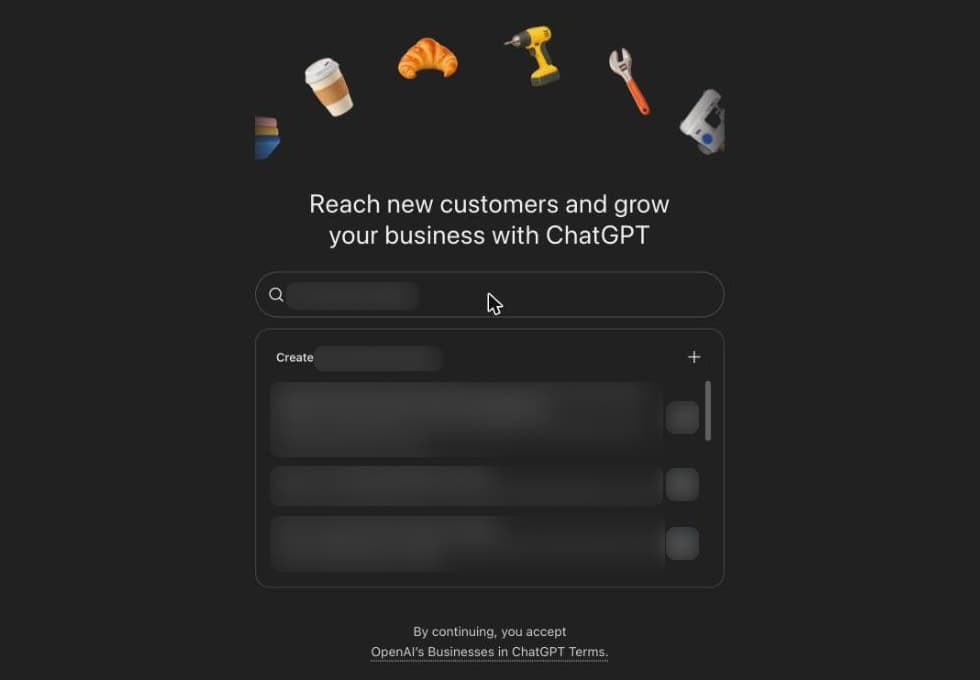
Our client's listing already existed in ChatGPT, and its details had come over automatically from the business's Google Business Profile. So check your Google Business Profile before you claim: if the name, address, phone number, website or category is wrong there, the same error can carry over to the ChatGPT listing.
2. Verify you're connected to the business
Business Hub offers the methods available for your business:
- Business phone: a code by SMS or an automated call to the number on the listing.
- Business email: a code to the address associated with the business.
- Website domain: add the TXT record shown to your DNS, copying type, host and value exactly, then select Verify domain. DNS changes can take a while to appear.
- Shopify store: connect the store and log in to it.
We used the domain method. We added the TXT record in Cloudflare, and the check passed within a few minutes. In the panel, this step shows as "Website access: Access confirmed".
OpenAI then reviews the claim and emails you a decision or a request for more information. You can cancel the claim while it is under review.
The claim was submitted on 18 November 2026 and approved the same day.
If someone else has already claimed your business, open its profile, select the ••• menu and Dispute ownership. Claiming or disputing doesn't change whether the profile is visible in ChatGPT.
3. Verify your identity with Persona
An approved claim gets you into Business Hub. According to OpenAI's help page, you can't publish changes, connect a product feed, see Insights or create an agent until you pass identity verification with Persona. Expect to show a government ID, business registration details and proof that you are authorised to represent the business. Make the name, address and registration or tax number match your official records exactly. The blue verified check appears on your profile only after Persona approves you, not after the claim.
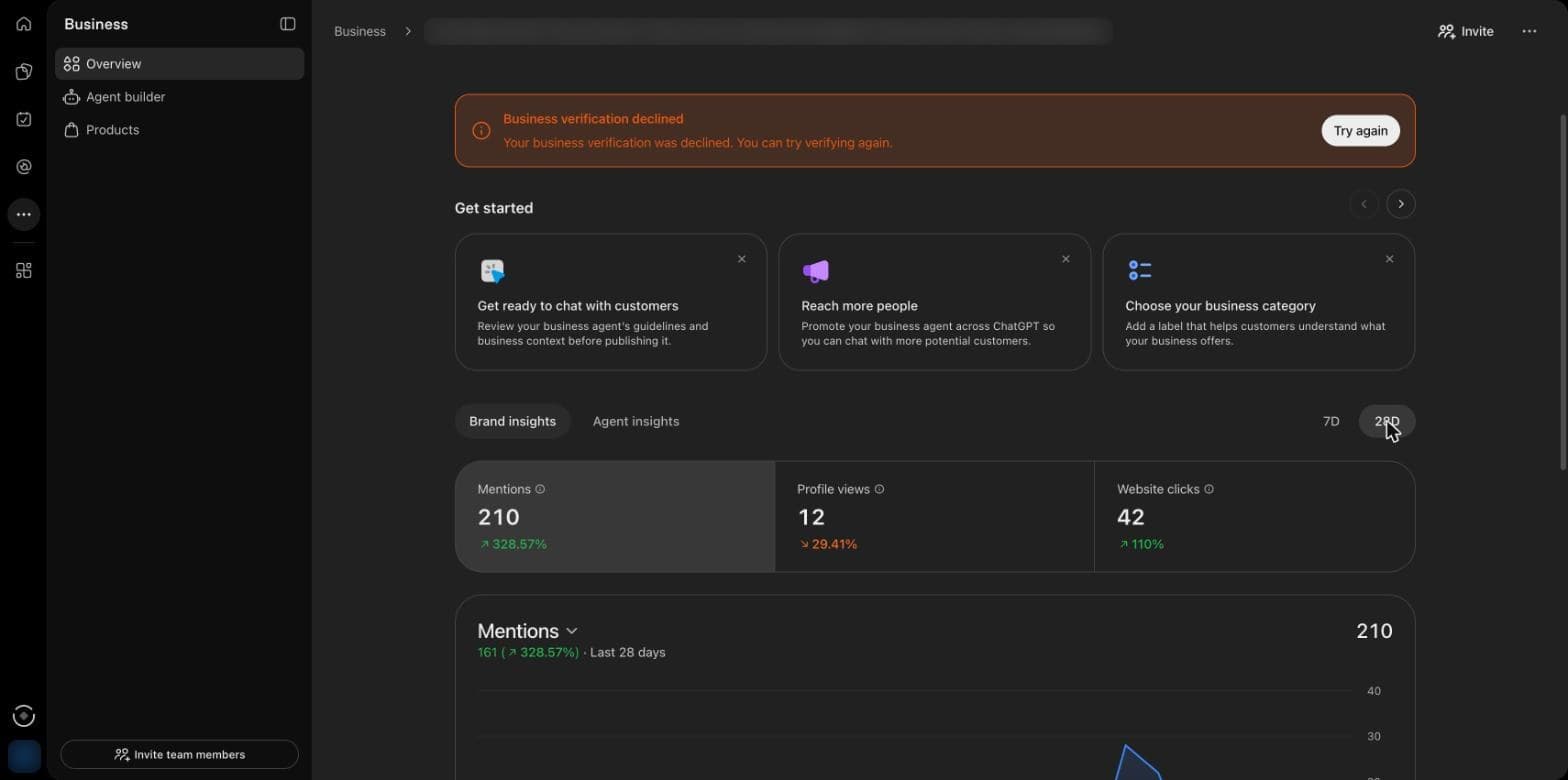
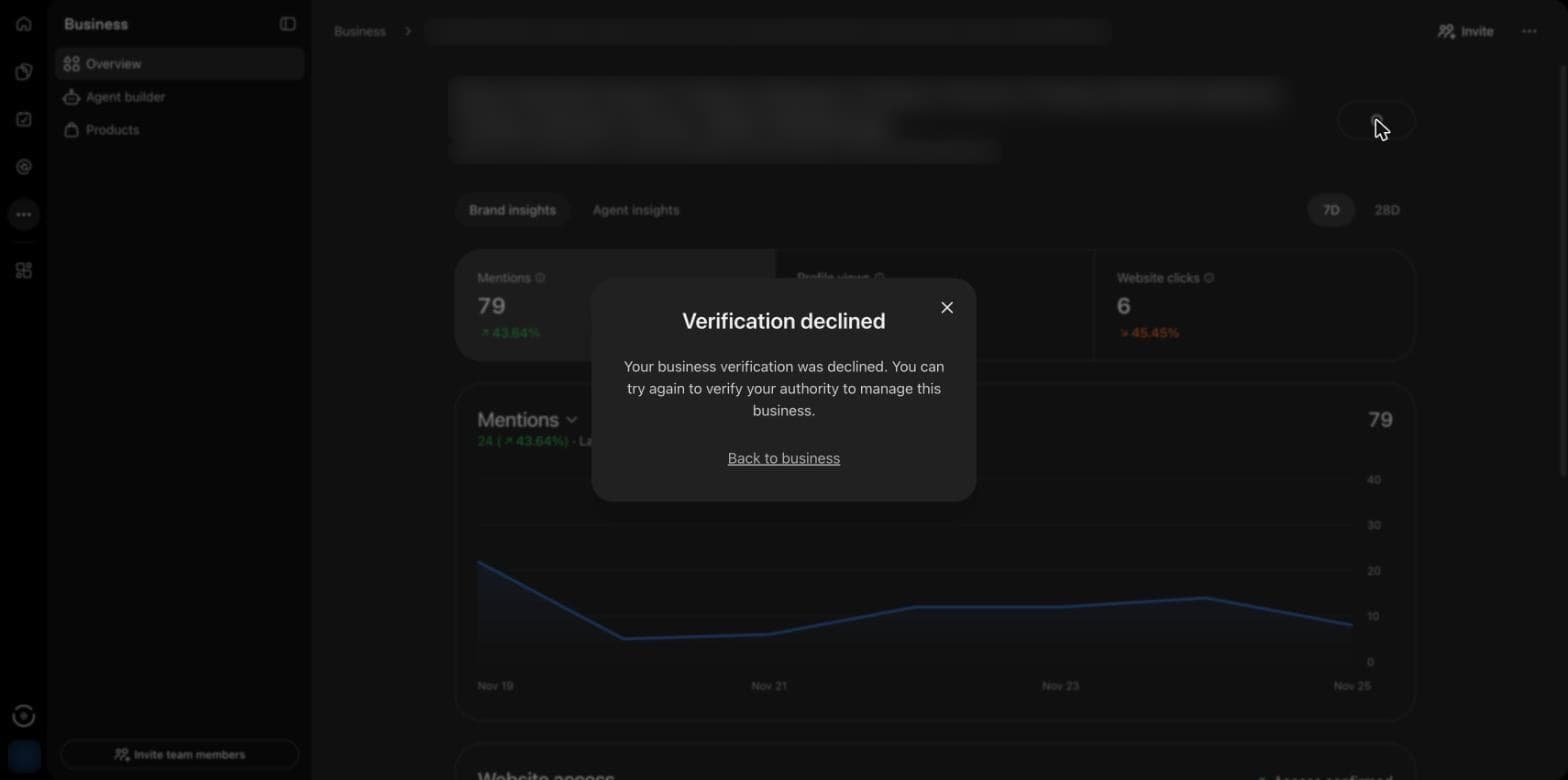
Persona asked our client for an identity document and an official company document. The application was declined the same day, with no reason given. After the decline, a "Business verification declined" banner and a Try again button appear at the top of the panel. The profile editor and adding products are locked. Insights, however, stays open: contrary to what the help page says, we could see the figures without Persona approval.
4. Fix what ChatGPT says about you
Once verified, open your profile under Business and update the website, description, product or service category, logo, cover photo, and delivery and return policies. Everything must follow the Businesses in ChatGPT policy. OpenAI reviews changes before they go live, so they can take time to show in a listing or an answer, and ChatGPT can still draw on other sources about you.
Once the editor opens, here is what to watch when you write the description:
- Description: one plain sentence on what you do, for whom and where, then the services by name. Use the words a customer would type, not a slogan.
- Category: the most specific one that fits.
- Website: the page that answers the question best, not automatically the home page.
Our client's profile description hasn't been written yet: the editor stays locked until Persona approves.
5. Stores: connect a product feed
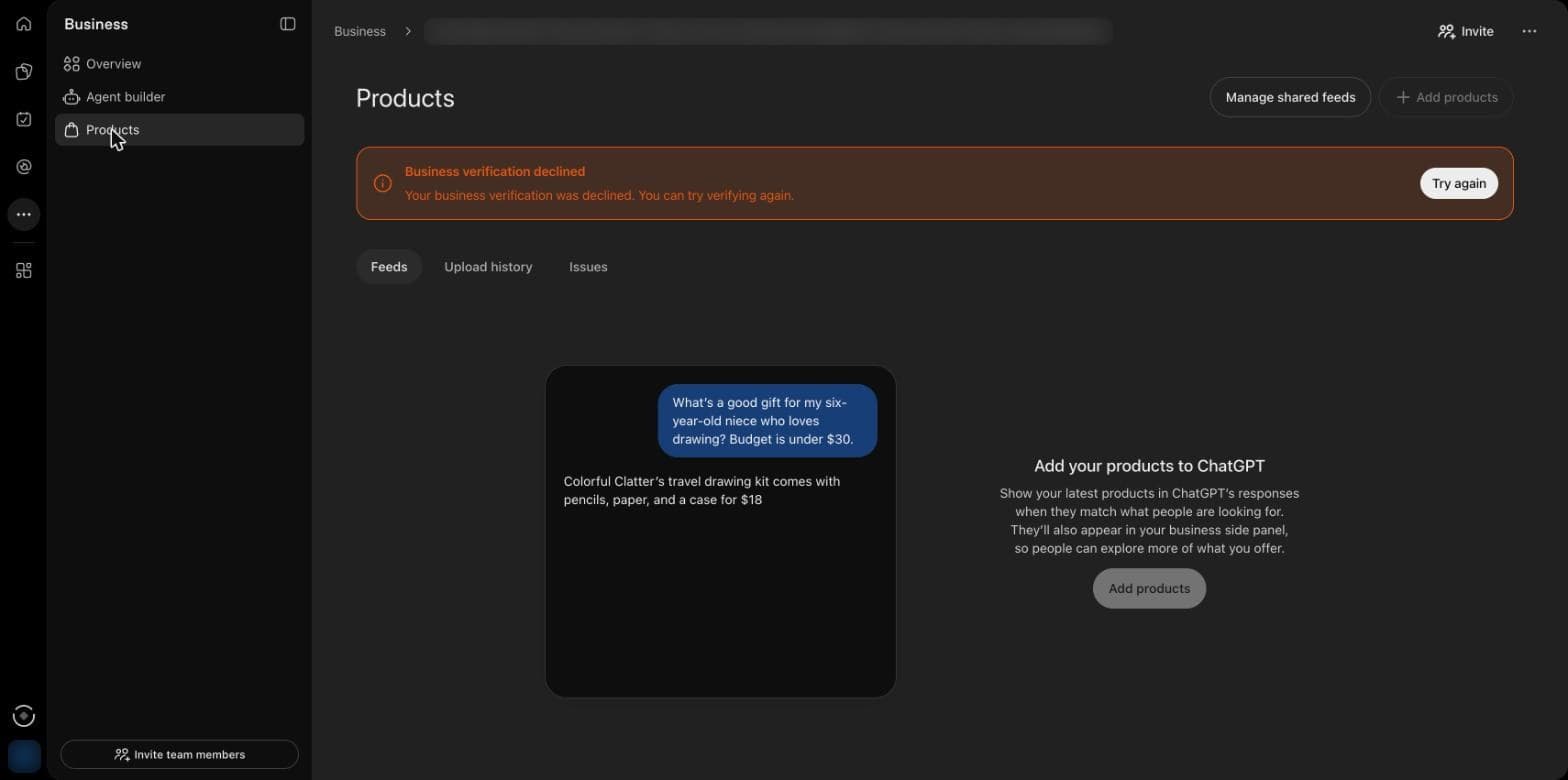
If you sell products, upload a CSV feed that follows OpenAI's product feed specification, link to a hosted feed, or connect a Shopify feed, so ChatGPT has current prices and availability. The Products tab has three sub-tabs, Feeds, Upload history and Issues; if Persona verification was declined, the button for adding products stays disabled. A feed doesn't publish an agent and doesn't guarantee your products are recommended. On Shopify, see our guides to Shopify MCP and agentic commerce.
What the Business Hub Insights tab shows
OpenAI's help page says Insights show aggregate activity over the past 28 days. Our client's panel has a toggle between 7 days (7D) and 28 days (28D), and two tabs, Brand insights and Agent insights. Brand insights shows:
- Mentions. For an online business, a mention counts only when ChatGPT references your website; your brand name alone doesn't count. For a local business, it counts when ChatGPT shows that location as a result.
- Profile views. The help page doesn't mention this metric; it appears in the panel and in the screenshot in OpenAI's announcement.
- Website clicks. Clicks on links to your site from ChatGPT. A click doesn't confirm a visit or a conversion.
- Discovery topics. Common themes in the answers that mentioned or cited you. They are not individual prompts.
We noticed two more details in the panel. History doesn't start on the claim date: the listing was claimed on 18 November, and the 28-day chart shows data from 29 October. Discovery topics lag about a week behind: in the 7-day view, the figures covered 19 to 25 November while the topics covered 13 to 19 November, with a note saying how many of the 7 days the data covers (6 in our case).
You never see users' prompts or conversations. A blank metric doesn't mean zero: the activity may be below the reporting threshold or still being collected.
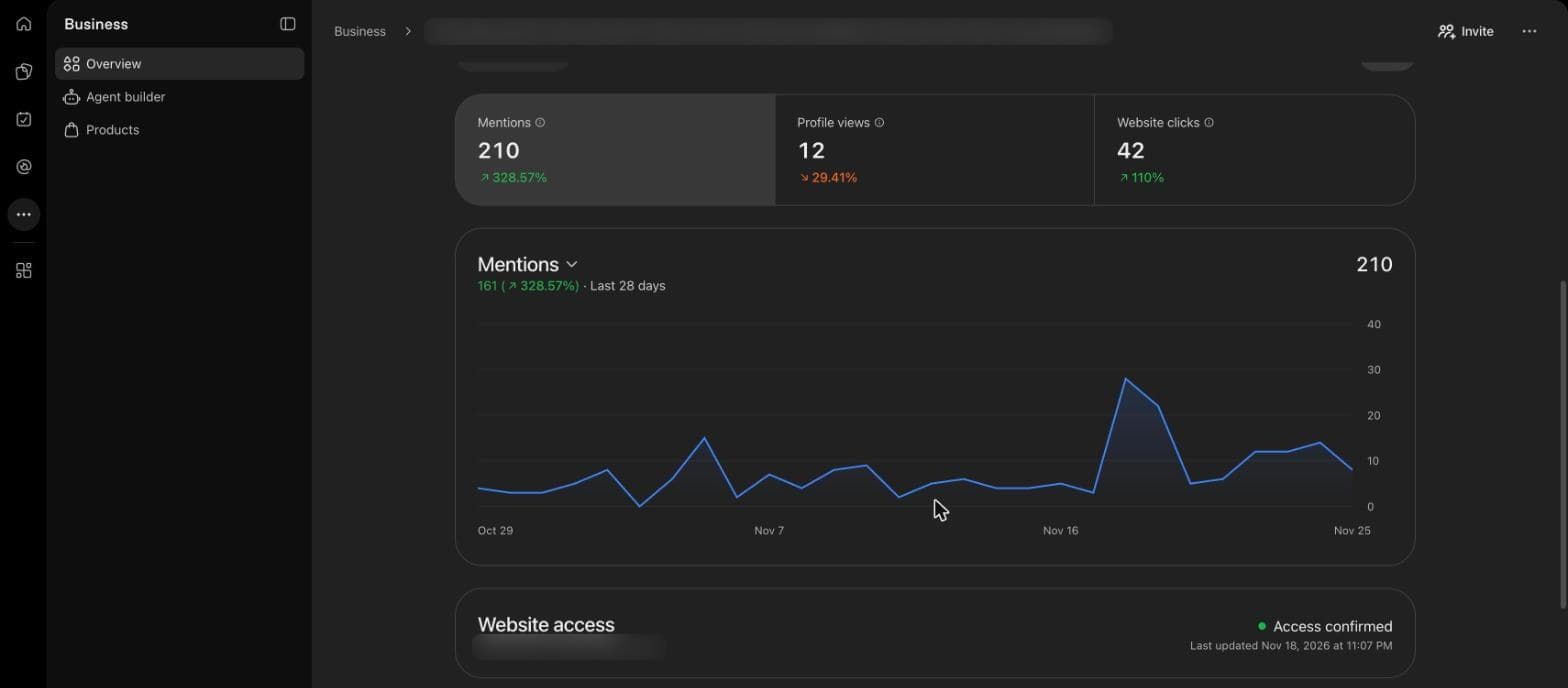
Our client's 28-day figures, 29 October to 25 November: 210 mentions, 12 profile views, 42 website clicks. Mentions jumped on 18 and 19 November, around the day of the claim. This data can't tell us whether the claim caused the jump.
Business Agents
OpenAI opened Business Agents to eligible ecommerce and online service businesses in the US on 10 November; according to an update dated 19 November, such businesses outside the US can publish agents too. An agent answers customer questions from the information you give it, such as products and return policy. You preview it with a real customer question, fix what it gets wrong, then publish. According to the help page, the agent explains your products and policies and links to your website. You don't see customers' chats with it. Claiming, publishing an agent and advertising are three separate things.
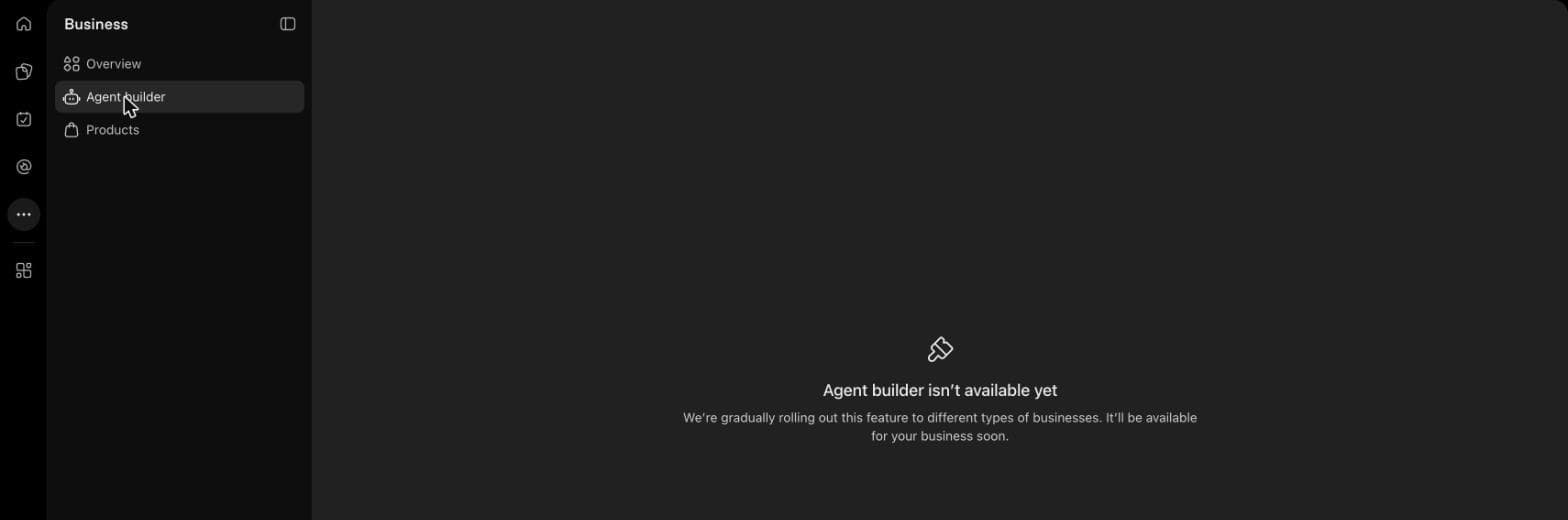
For our client, the Agent builder tab says "Agent builder isn't available yet": OpenAI is rolling the feature out gradually to different types of businesses.
What claiming your business does not do
- It doesn't make ChatGPT recommend you more. OpenAI says claiming doesn't guarantee visibility or give you control over ChatGPT's independent recommendations.
- Ads don't help either. ChatGPT Ads sit below the answer, labelled Sponsored, and don't change it.
- It doesn't replace GEO. ChatGPT still uses other sources, so your own site, reviews and directories still decide most of what it says. See What is GEO?
- A published profile stays. Support can't delete, unpublish or hide it; only an unpublished draft can be deleted.
The admin who claimed the business can add teammates and give an agency access, each with their own ChatGPT account. Don't forward your personal claim invitation, and claim each brand separately.
Our Business Hub checklist
- Fix your Google Business Profile first, then claim with a company account you will keep; verify by DNS if you can.
- Pass Persona with details that match your registration exactly.
- Rewrite the description in your customers' words; set category, logo and policies.
- Stores: connect the product feed.
- Add teammates and your agency in Business Hub, never by sharing a login.
- Read Insights regularly in both the 7-day and the 28-day view, and note what you changed.
ChatGPT Business Hub: frequently asked questions
Is ChatGPT Business Hub free?
OpenAI lists no fee for claiming a business or using Business Hub. Ads in ChatGPT are a separate, paid product.
Do I need ChatGPT Business or Enterprise to claim my business?
No. Any ChatGPT account can claim an eligible business; you don't need an Ads account, the Business plan or an Enterprise agreement.
Can businesses outside the US claim a listing in ChatGPT?
According to OpenAI's help page, online businesses can claim wherever ChatGPT is available and verification is supported; physical stores and restaurants, for now, only existing US listings. A client of ours, a business with a physical address in Türkiye, was able to claim its existing listing with domain verification. Business Agents have been open to eligible online businesses outside the US since 19 November; for our client, agent creation isn't available yet.
How long does approval take?
OpenAI says review time varies, for both the claim and the Persona check. For our client, the claim was approved the day it was submitted; the Persona check was also decided the same day, but declined with no reason given.
Will claiming my business make ChatGPT recommend it more often?
No. Claiming lets you manage the information you provide. OpenAI says it doesn't guarantee more visibility, and advertising doesn't influence ChatGPT's independent answers.
Is ChatGPT Business the same as ChatGPT Team?
Yes. ChatGPT Team was renamed ChatGPT Business on 29 August 2025. It is the paid team workspace, not Business Hub.
How much is ChatGPT Business?
Standard seats cost $25 per user per month billed monthly, or $20 billed annually; Premium seats cost $125, or $100 annually. A new workspace can start with one paid seat, and prices can vary by country.
Sources
- OpenAI Help Center: Setting up your business on ChatGPT
- OpenAI Help Center: ChatGPT Business overview
- OpenAI: Introducing Businesses in ChatGPT
- OpenAI: Testing ads in ChatGPT
- Search Engine Roundtable: Businesses in ChatGPT Business Hub Live With Click Data
- ChatGPT
- Business Hub
- GEO
- AI search