
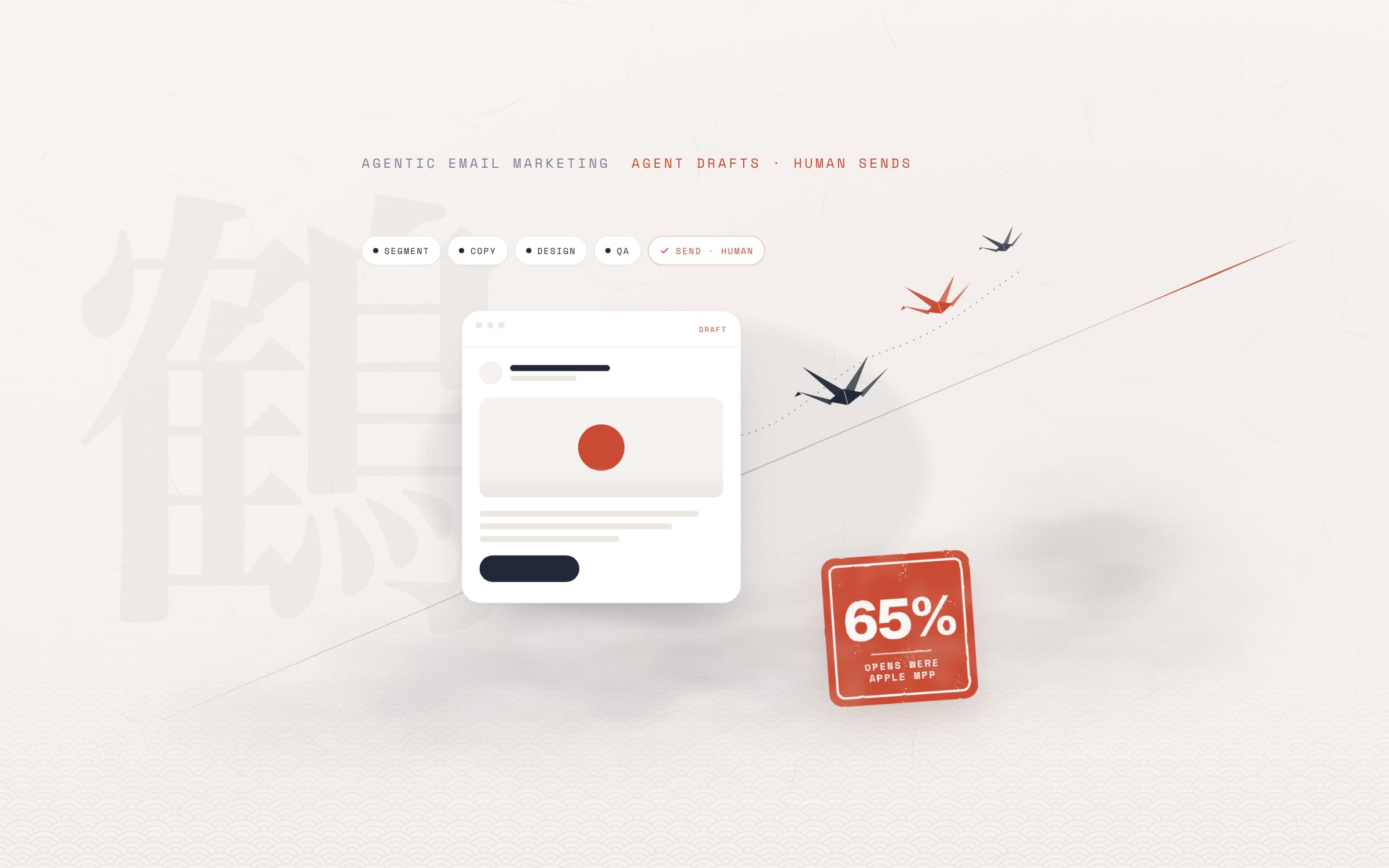
Short answer. Agentic email marketing means handing email work to AI agents that plan towards a goal, use tools and measure the result, instead of wiring every task to a fixed rule: building segments, drafting copy and design, running quality checks, setting up drafts in your email platform and reporting. It is AI email marketing built on agents rather than single prompts. Classic automation follows the path you drew; an agent proposes the path to the goal. Set up properly, the send button, the list and the consent decisions stay with people. Below we cover what this looks like, which jobs agents can take on, the risks, how to start and the ratios from our own work.
What is agentic email marketing?
Agentic email marketing is the agent-based form of AI in email marketing: using AI agents to plan, produce, check and measure campaigns. An AI marketing agent here is not a chat window that writes one piece of text. It is software that takes a goal, breaks it into steps, uses tools such as your CRM, email platform and analytics, and hands its output to the next step. Salesforce describes agentic marketing the same way: unlike standard automation, where the marketer sets up every step by hand, the marketer sets the goal and leaves execution to agents.
We covered the general idea in agentic AI vs AI agents. On the email side, the difference from email marketing automation is easiest to see with three approaches side by side:
- Criterion: How it worksClassic automation: A flow drawn in advance, run by triggers and rulesAI writing tool: Writes a subject line or copy on requestAgentic system: Plans towards a goal, uses tools, chains steps
- Criterion: Who decidesClassic automation: The person who built the flow, onceAI writing tool: The user, on every requestAgentic system: The agent proposes, a person approves critical steps
- Criterion: Data accessClassic automation: Fields inside the platformAI writing tool: Usually only the text you give itAgentic system: CRM, platform and report data, as far as access allows
- Criterion: ExampleClassic automation: Welcome email three days after sign-upAI writing tool: Ten subject line ideasAgentic system: Brief, copy, QA and a draft campaign for quiet leads
- Criterion: Weak spotClassic automation: Does not adapt when things changeAI writing tool: Knows neither the context nor the resultAgentic system: Without limits it also does the wrong thing fast
| Criterion | Classic automation | AI writing tool | Agentic system |
|---|---|---|---|
| How it works | A flow drawn in advance, run by triggers and rules | Writes a subject line or copy on request | Plans towards a goal, uses tools, chains steps |
| Who decides | The person who built the flow, once | The user, on every request | The agent proposes, a person approves critical steps |
| Data access | Fields inside the platform | Usually only the text you give it | CRM, platform and report data, as far as access allows |
| Example | Welcome email three days after sign-up | Ten subject line ideas | Brief, copy, QA and a draft campaign for quiet leads |
| Weak spot | Does not adapt when things change | Knows neither the context nor the result | Without limits it also does the wrong thing fast |
What can AI agents do in email marketing?
The value of agents shows up less in any single task than in the hand-offs between tasks. At each step of the email lifecycle, this is what an agent can take on and what a person checks:
- Step: SegmentationWhat the agent does: Proposes an audience and an exclusion list from CRM and engagement dataWhat a person checks: Consent basis and sensitive segments
- Step: BriefWhat the agent does: Writes the goal, decision metric, list, send time and open questionsWhat a person checks: Answers the open questions
- Step: CopyWhat the agent does: Subject line variants, preview text, body and a plain-text versionWhat a person checks: Brand voice and accuracy of claims
- Step: DesignWhat the agent does: Builds HTML from the brand template, checks size and compatibilityWhat a person checks: Visuals and brand fit
- Step: QAWhat the agent does: Checks links, UTMs, banned phrases and alt text, returns PASS or FAILWhat a person checks: Fixing what failed
- Step: Send timeWhat the agent does: Suggests day and hour from past click dataWhat a person checks: Approves the plan
- Step: DeliverabilityWhat the agent does: Monitors SPF, DKIM, DMARC records and bounce and complaint ratesWhat a person checks: DNS changes and the decision to pause
- Step: Reporting and follow-upWhat the agent does: Joins results with the CRM and writes a suggestion for the next emailWhat a person checks: Which suggestion to apply
| Step | What the agent does | What a person checks |
|---|---|---|
| Segmentation | Proposes an audience and an exclusion list from CRM and engagement data | Consent basis and sensitive segments |
| Brief | Writes the goal, decision metric, list, send time and open questions | Answers the open questions |
| Copy | Subject line variants, preview text, body and a plain-text version | Brand voice and accuracy of claims |
| Design | Builds HTML from the brand template, checks size and compatibility | Visuals and brand fit |
| QA | Checks links, UTMs, banned phrases and alt text, returns PASS or FAIL | Fixing what failed |
| Send time | Suggests day and hour from past click data | Approves the plan |
| Deliverability | Monitors SPF, DKIM, DMARC records and bounce and complaint rates | DNS changes and the decision to pause |
| Reporting and follow-up | Joins results with the CRM and writes a suggestion for the next email | Which suggestion to apply |
The platforms' own AI features already cover part of this. Klaviyo offers subject line suggestions, copy generation and per-person send time prediction (Smart Send Time) in its email product; Mailchimp says its send time optimisation is based on historical click trends. The agentic approach adds two things: it connects these pieces around one goal, and it puts a checkpoint at every hand-off.
A warning: if send time and "engaged audience" suggestions rely on open data, Apple's automatic opens distort that data. Asking an agent to personalise without giving it cleaned click and reply data means scaling the wrong signal.
Where should human approval stay?
How safe an agentic system is depends less on how capable the agent is than on what it cannot do. In the flows we build, these decisions always stay with a person:
- Sending and scheduling. Explicit approval per campaign; approval for one campaign never carries over to the next.
- List and consent. Who receives it, who is excluded, and on what consent basis.
- Claims. Every sentence with a price, health, legal or performance claim is tied to a source; no source, the email waits.
- Brand voice and subject line. The agent produces variants, a person makes the final choice.
- Infrastructure changes. DNS records, the sending domain and platform settings.
Do not write the approval rule only into the prompt. Give the agent's API key only the access it needs, start read-only where you can, and block sending at the tool level.
Some platforms draw this line themselves. HubSpot's nurture agent, in beta, rewrites the copy of automated emails for each recipient; before turning it on you can preview the generated versions and lock sections against personalisation.
An example agentic email workflow
The flow below is not tied to a model or tool. You can run the agents in Claude Code, Codex, Cursor, Gemini CLI, GitHub Copilot or ChatGPT and connect them to your email platform through an API or MCP. What matters is that every step writes its output to a file and nothing starts before the previous step has passed a gate.
- Brief. A strategy agent writes the goal, the decision metric (not open rate), the list, exclusions, consent basis, send time and open questions for a person.
- Copy. A copy agent writes subject line variants, preview text, body, button text and a plain-text version. A person picks the subject line.
- Design. A design agent builds the email from the brand template and keeps the HTML under the size Gmail clips.
- QA. A separate QA agent checks without fixing anything: links, UTMs, banned phrases, sources for claims, alt text, the unsubscribe link. Without a PASS nothing goes to the platform.
- Draft and test in the platform. The agent sets up the campaign as a draft, sends a test to an internal list and compares the draft in the platform with the local file.
- Approval and send. A person sees the final version, approves it per campaign and schedules the send.
- Measure and learn. A few days later the agent joins the results with CRM data and writes the report and suggestions for the next email; a person decides.
The general steps for building such a system are in how to build an AI agent, and examples from other sectors are in AI agent examples.
Which tools? A neutral look at AI email marketing tools
You do not need a new platform for agentic email marketing. There are two layers: your email platform's own AI features, and the ability of an outside agent to connect to the platform. For the second, MCP (Model Context Protocol) is becoming the standard; we explain it in what is an MCP server. The details below come from each platform's own pages, as of November 2026:
- Platform: BrevoAI feature the platform describes: Manage the account in natural language through its MCP serverOutside agent connection: Official MCP server; 27 modules including contacts, lists and email campaigns
- Platform: KlaviyoAI feature the platform describes: Email AI for copy and drafts, Smart Send Time for per-person send timeOutside agent connection: Official MCP server; from campaign creation to performance reports
- Platform: MailchimpAI feature the platform describes: Copy generation built on Intuit Assist, AI-built multi-step flows, send time optimisationOutside agent connection: Connections to ChatGPT, Claude, Perplexity, Codex and Google Workspace
- Platform: HubSpotAI feature the platform describes: Nurture agent that rewrites automated emails per recipient (beta, Marketing Hub Professional and Enterprise)Outside agent connection: In-platform agent; every personalised email uses HubSpot credits
| Platform | AI feature the platform describes | Outside agent connection |
|---|---|---|
| Brevo | Manage the account in natural language through its MCP server | Official MCP server; 27 modules including contacts, lists and email campaigns |
| Klaviyo | Email AI for copy and drafts, Smart Send Time for per-person send time | Official MCP server; from campaign creation to performance reports |
| Mailchimp | Copy generation built on Intuit Assist, AI-built multi-step flows, send time optimisation | Connections to ChatGPT, Claude, Perplexity, Codex and Google Workspace |
| HubSpot | Nurture agent that rewrites automated emails per recipient (beta, Marketing Hub Professional and Enterprise) | In-platform agent; every personalised email uses HubSpot credits |
When choosing, check three things: can you limit the agent's access (read-only keys, per-module access), are creating a draft and sending separate actions, and can the platform export click, reply and conversion data, not just opens. The architecture is independent of the platform; if the platform changes, the brief, QA and approval gates stay the same.
Risks: deliverability, consent, voice and false claims
Deliverability
As AI made producing email easier, mailbox providers tightened their rules. Since 1 February 2024 Google requires SPF or DKIM from all senders and, from anyone sending more than 5,000 messages a day to Gmail, SPF, DKIM and DMARC, one-click unsubscribe for marketing email and a spam rate below 0.3%. Yahoo sets similar requirements for bulk senders and asks that unsubscribes are honoured within 2 days. Microsoft has applied comparable authentication rules since May 2025 to domains sending more than 5,000 messages a day to Outlook.com addresses; non-compliant mail goes to the junk folder first.
An agent's speed is the risk here: one large send to the wrong list can damage a domain's reputation quickly. Send large campaigns to engaged contacts first and set stop thresholds for bounce and complaint rates.
Consent: GDPR, PECR, CAN-SPAM and CASL
Email marketing law depends on where your recipients are, not where you are. Four regimes cover most international lists:
- Where: EU (ePrivacy Directive and GDPR)Basic rule: Prior consent for marketing email to individuals. Soft opt-in: you may email existing customers about your own similar products if they could object at collection and in every message.What your workflow must respect: Store the consent basis per contact; stop marketing as soon as someone objects (GDPR Art. 21); withdrawing consent must be as easy as giving it (Art. 7).
- Where: UK (PECR)Basic rule: The same model for individuals: consent or the soft opt-in (reg. 22). Corporate addresses fall outside reg. 22.What your workflow must respect: Every marketing email must show who it is from and a valid address for opting out (reg. 23), B2B included.
- Where: US (CAN-SPAM Act)Basic rule: Sets rules for the message rather than requiring prior consent, and gives recipients the right to make you stop. No exception for B2B email.What your workflow must respect: Clear ad disclosure, honest headers and subject lines, a physical postal address, opt-outs honoured within 10 business days; up to $53,088 per violating email.
- Where: Canada (CASL)Basic rule: Express or implied consent before sending a commercial electronic message.What your workflow must respect: Identify the sender, give contact details and an unsubscribe mechanism; process unsubscribes within 10 business days; penalties up to $10 million for businesses.
| Where | Basic rule | What your workflow must respect |
|---|---|---|
| EU (ePrivacy Directive and GDPR) | Prior consent for marketing email to individuals. Soft opt-in: you may email existing customers about your own similar products if they could object at collection and in every message. | Store the consent basis per contact; stop marketing as soon as someone objects (GDPR Art. 21); withdrawing consent must be as easy as giving it (Art. 7). |
| UK (PECR) | The same model for individuals: consent or the soft opt-in (reg. 22). Corporate addresses fall outside reg. 22. | Every marketing email must show who it is from and a valid address for opting out (reg. 23), B2B included. |
| US (CAN-SPAM Act) | Sets rules for the message rather than requiring prior consent, and gives recipients the right to make you stop. No exception for B2B email. | Clear ad disclosure, honest headers and subject lines, a physical postal address, opt-outs honoured within 10 business days; up to $53,088 per violating email. |
| Canada (CASL) | Express or implied consent before sending a commercial electronic message. | Identify the sender, give contact details and an unsubscribe mechanism; process unsubscribes within 10 business days; penalties up to $10 million for businesses. |
Business addresses are treated differently from place to place: the EU directive leaves legal persons to national law (Romania, for example, requires consent for companies too), while the UK's consent rule covers individuals only. Check the local rules for every country on your list. When you give an agent CRM data, decide in the same frame which fields it can read and where the data goes.
This section is not legal advice. Confirm the consent and data processing rules for your sector and target countries with a lawyer.
Brand voice
An agent's copy can be grammatically perfect and still sound nothing like your brand. Keep the voice guide, emails that worked well and phrases to avoid in a file the agent reads every time. According to a survey cited by Litmus, about two in five consumers say they trust AI-written marketing emails less, so the final read should stay with a person.
Made-up claims
Language models can write a discount that does not exist, a wrong treatment duration or an award nobody gave you, in a fluent sentence. The fix is to give QA to a separate agent and require every claim to be tied to a source: a price list, a product page, an approved case text. No source, the claim goes or the email waits.
How to start email marketing with AI agents
- Audit the basics. Check SPF, DKIM and DMARC records, the unsubscribe link and consent records. An agent can run the check; a person approves the fix.
- Clean the data. Merge duplicate contacts, exclude people who said they are not interested, fix personalisation fields such as names.
- Pick the decision metric. Clicks, replies, leads or sales instead of opens, whichever your business depends on.
- Start with one campaign. For example a win-back email to leads who went quiet. Run the flow end to end once.
- Keep permissions narrow. The agent's key can create drafts but not send; keep reporting read-only for the first weeks.
- Write the gates down. Put in a file which steps need human approval and what QA counts as a FAIL.
- Learn after every send. The report becomes input for the next brief; lasting lessons go into the rules file.
Which metrics should you track?
Apple's Mail Privacy Protection stops senders from collecting information with invisible pixels and hides when an email was opened. In practice many sending tools report these emails as "opened" even if the person never read them. An agent that decides by open rate rewards the wrong subject line and the wrong send time.
- Metric: Open rateWhat it tells you: A rough signal for delivery and the subject lineTrap: Inflated by Apple MPP and security scanners
- Metric: Clicks and click-to-openWhat it tells you: Whether the content caught interestTrap: On small lists a few clicks swing the rate
- Metric: Replies, messages, leadsWhat it tells you: Whether the email started a conversationTrap: Channels without UTMs need their own marker
- Metric: Unsubscribes and complaintsWhat it tells you: Health of frequency and targetingTrap: Read as a trend, not per send
- Metric: Bounce and spam rateWhat it tells you: List and domain healthTrap: Pause sending when a threshold is crossed
| Metric | What it tells you | Trap |
|---|---|---|
| Open rate | A rough signal for delivery and the subject line | Inflated by Apple MPP and security scanners |
| Clicks and click-to-open | Whether the content caught interest | On small lists a few clicks swing the rate |
| Replies, messages, leads | Whether the email started a conversation | Channels without UTMs need their own marker |
| Unsubscribes and complaints | Health of frequency and targeting | Read as a trend, not per send |
| Bounce and spam rate | List and domain health | Pause sending when a threshold is crossed |
When an agent writes the report, ask it to filter out Apple auto-opens, bot clicks and internal recipients, and to join the result with lead and sales data from the CRM.
A field example: a health tourism clinic
We set up the email process for a health tourism clinic in Türkiye with the flow above. The key results:
- Apple auto-opens on the first send
- ~65%
- Share of leads from case emails
- 69%
- Unsubscribes at a 7-day gap (1.07% at 4 days)
- 0.40%
- Speed. The first campaign went from CRM data import to a scheduled send in under a day. On day one a missing SPF record on the sending domain was found and fixed.
- The value of QA. The QA agent flagged a treatment description in one email; the email was held until the clinic confirmed it.
- The open-rate illusion. About 65% of reported opens on the first send were Apple's automatic opens, so we made decisions on clicks and leads.
- Content format. Case emails telling one patient's result brought 69% of leads and reached up to 22% click-to-open; testimonial emails stayed at 4–9%.
- Frequency. When the gap between sends went from 4 to 7 days, unsubscribes fell from 1.07% to 0.40%. The content also changed, so we read this as a strong signal, not a clean experiment.
- A lead came back. A lead who had not answered the sales team's follow-ups wrote in 13 minutes after a send.
These ratios are about leads and engagement. We do not claim a sales result from these sends; email does not replace the rest of the sales funnel.
Frequently asked questions
What is agentic email marketing?
An approach where AI agents plan, produce, check and measure email campaigns towards a goal. Classic automation follows rules set up in advance, while an agent uses tools and chains steps; sending, list and consent decisions stay with people.
What is the difference between email automation and an AI agent?
Automation is a fixed flow tied to a trigger: three days after sign-up, this email goes out. An AI agent takes a goal, looks at the data, suggests which message goes to which audience and sets up the draft. Automation does not change, an agent re-evaluates every time, which is why it needs approval gates.
What should AI not do in email marketing?
It should not send without approval, write to lists with an unclear consent basis, produce price, health or performance claims without a source, or change infrastructure settings such as DNS on its own. Block these with tool permissions as well as instructions.
Which email platforms do AI agents work with?
Any platform with an API or an MCP server. Brevo and Klaviyo publish official MCP servers, Mailchimp says it connects to assistants such as ChatGPT, Claude and Codex, and HubSpot has its own agents. You can run the agent in Claude Code, Codex, Cursor, Gemini CLI, GitHub Copilot or ChatGPT.
Why is open rate no longer reliable?
Apple Mail Privacy Protection stops the sender from knowing when an email was opened; in practice unread emails also show as opened. In one of our campaigns about 65% of reported opens were these automatic opens. Clicks, replies and leads are more reliable measures.
Do you need consent to send marketing emails?
In the EU and UK, yes for individuals: prior consent, or the soft opt-in for existing customers and similar products, with a way to object in every email. In the US, CAN-SPAM does not require prior consent but you must honour opt-outs within 10 business days; Canada's CASL requires express or implied consent. Check the rules for every country on your list.
Sources
- Salesforce: Agentic marketing (Marketing Cloud Next)
- Klaviyo: Email AI
- Klaviyo: MCP server
- Brevo: MCP server
- Mailchimp: AI tools
- HubSpot: Nurture agent (beta)
- Google: Email sender guidelines
- Microsoft: Outlook requirements for high-volume senders
- Yahoo: Sender best practices
- Apple: iOS 15 privacy announcement, Mail Privacy Protection
- Litmus: How to Use AI in Email Marketing
- ePrivacy Directive 2002/58/EC, Article 13
- GDPR (EU) 2016/679
- UK PECR 2003, regulations 22 and 23
- FTC: CAN-SPAM Act compliance guide for business
- Canada's Anti-Spam Legislation (S.C. 2010, c. 23)
- Email marketing
- AI agents
- Agentic AI