
Skip to content
SEMROI
Case study · AI agents & Shopify

B2B ecommerce: four PDF catalogs, three nights, 833 quote-only Shopify products

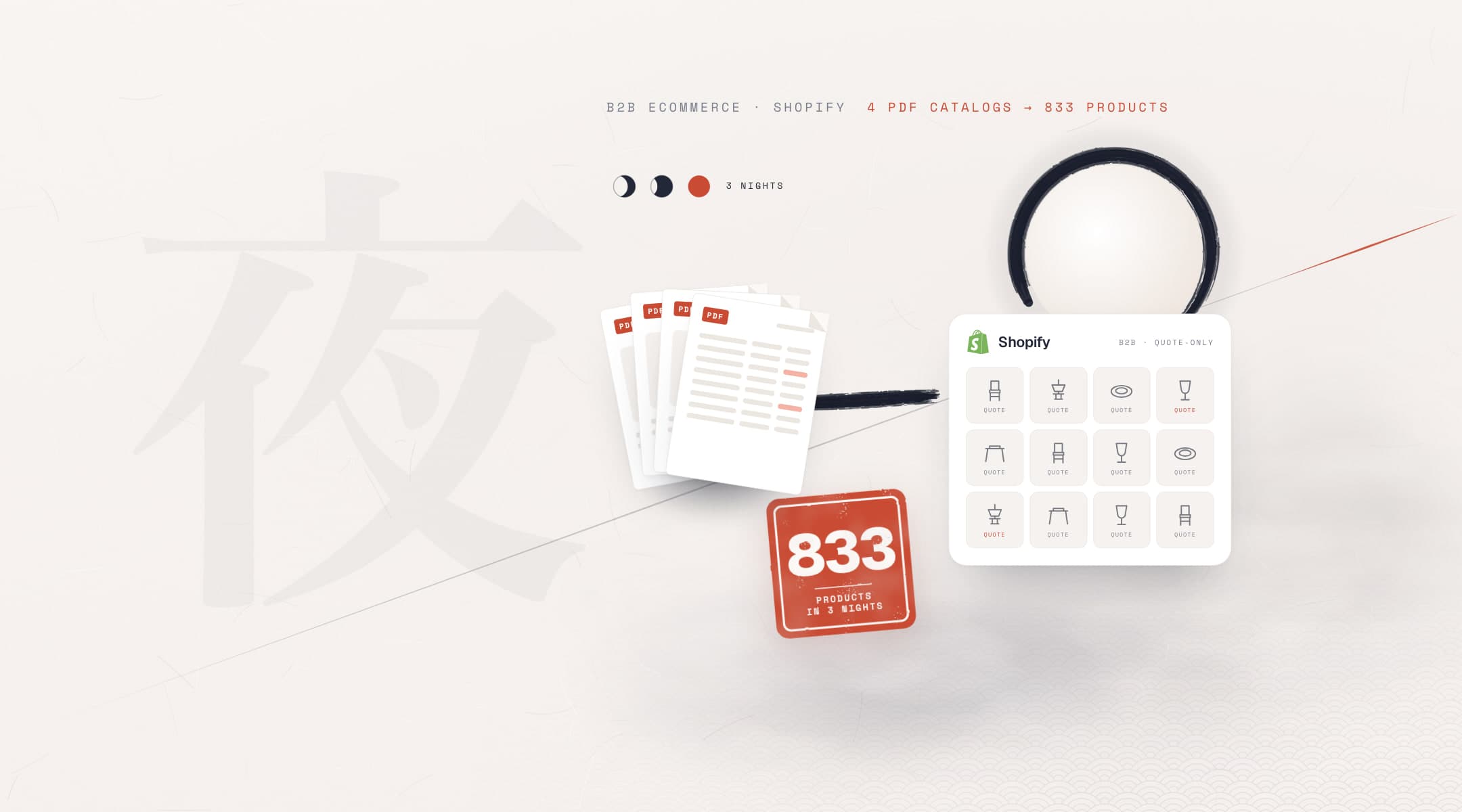
We built Horeca Papatya's B2B ecommerce catalog from four supplier PDF catalogs: 833 quote-only products and 26 collections. With agentic AI, each catalog became products in a single night; weeks of work came down to hours. Every spec-table row was checked against two sources, and a validator kept out any measurement the catalog does not state. The store grew from 356 to 1,138 products (3.2×).

Client
Horeca Papatya
Sector
Hotel and restaurant supply · B2B and retail
Market
Romania
Timeline
Three nights · 12 Oct – 5 Nov 2026
Sources
Four supplier catalogs: PDFs, image and table packages
Tools
Shopify, AI agents
Our roles
Catalog pipeline, product classification and copy, category tree and SEO, Shopify build and publishing
  • B2B ecommerce
  • PDF catalog
  • Shopify
  • AI agents
  • Quote-only selling
  • Product data
quote-only products from four supplier catalogs
833
collections in a category tree built on search volume
26
spec-table rows, each checked against two sources
~3,100
four catalogs became products; two on the same night
3 nights
products in the store: 356 to 1,138, Sep – Nov 2026
3.2×

Sources: catalog job logs and validation output, 12 Oct – 5 Nov 2026; public product sitemap, 9 Nov 2026.

The challenge

Why is the catalog, not the store, the hardest part of B2B ecommerce?

Horeca Papatya supplies textiles, furniture, lighting and tableware to hotels, restaurants and cafés in Romania. Its suppliers sell with PDF catalogs, not price lists. Horeca Papatya wanted these products on the site without prices, with a quote form. The store's move to Shopify is a separate case study; this one covers the work that tripled the catalog after it.

What we set out to do
  • Turn four supplier catalogs into quote-form products without prices833 products
  • Put no measurement on the site that the catalog does not stateValidator blocks it
  • Check every spec-table row against two sourcesReview queue at 0
  • Build a category tree around the terms people search26 collections
  • A catalog is a sales tool, not a data source

    The same model appears on several pages, sizes live only in tables, codes sit in the page margin. Entering it by hand meant building hundreds of product pages one by one.

  • Catalogs get things wrong too

    In the furniture catalog, 16 pages labeled "console" were dining tables. One lighting code was misprinted. Copying the catalog as it was meant copying its errors.

  • The ready-made package wasn't ready

    One catalog came as a package with ready-made copy: its 197 descriptions used only 7 distinct sentences. The brand, tag and category fields were wrong too.

  • A language model fills the gaps

    Filling a missing measurement with a plausible number is easy for a model. In quote-only selling, a wrong measurement goes straight into the quote form.

The system

How a PDF catalog becomes a quote-only product

The four catalogs arrived in four different formats, but each went down the same path. The agents wrote and ran every step as a script; every step had a preview first and a check after.

Sources
  • 215-page furniture PDF
  • Lighting package, OCR sheets
  • 143-page porcelain PDF
  • Chair catalog package
AI agents
  1. Extract and classify
  2. Reconcile two sources
  3. Write copy from photos, validate
  4. Draft, check, get approval
In the store
  • 833 productsOne quote form instead of a price; about 1,500 images, product-specific Romanian copy
  • 26 collectionsCategory and sub-type pages chosen by search volume, plus menu and landing page
  • ~3,100 table rowsCode, size, capacity, carton quantity; every row the same in two sources
  • Online Store onlyPrice-free products are not sent to the Google shopping channel

We turned what each catalog taught us into a skill for our Shopify agent; the next catalog started from there.

What we did

Four catalogs, the same rules, faster every time

Each catalog arrived differently: a 215-page PDF, a ready-made package, a PDF with a text layer, and page images only. The rules never changed: drafts first, then checks, publishing on a separate approval. What each catalog taught us became a rule for the next.

CatalogsThree nights

Dates are from the job logs. No measurement compares this with a manual build.

  1. Furniture catalog12–14 Oct 2026

    297 products from a 215-page PDF

    • The agents pulled each page's product name, type and images: 385 labels. A model that appears on several pages became one product; the other pages' images went into its gallery.
    • 16 pages labeled "console" in the catalog turned out, on visual check, to be dining tables and went to the right category. The catalog gives no sizes, so none were written.
    • The category tree was built on Romanian search volumes. For example, "scaune bar" gets 6,600 searches a month, about five times "scaune de bar"; the collection name followed.

    Outcome297 products, 14 collections, 639 images; the products were built in one night.
  2. Lighting catalog28–29 Oct 2026

    197 products and 623 table rows from a ready-made package

    • The catalog came as a package with product sheets and ready-made copy. The audit found its 197 descriptions used only 7 distinct sentences, and the brand, tag and category fields were wrong.
    • Only name, code and image were taken from the package. Four parallel agents classified the 197 product families; the variant table came from comparing the agent's reading with OCR.
    • Every row that did not match was re-read from the catalog page. No unreadable value was guessed; it went into the table as "—".

    Outcome197 products, 3 collections, 623 rows; review queue at 0, products built in one night.

  3. Porcelain catalog4–5 Nov 2026

    2,944 PDF rows, each checked against two sources

    • The text layer of the 143-page PDF was compared line by line with a visual reading. 154 rows went into the review queue; it reached zero once each row was re-read from the page.
    • Making every piece its own product meant about 2,700 thin pages. The product unit became "series × piece group"; the codes stay in the table on the product page.
    • 13 series whose footnotes said they were being discontinued or limited to stock were read and kept off the site: 31 products.

    Outcome301 products from 104 series, 7 collections and 2,514 table rows checked against two sources.

  4. Chairs and table bases4–5 Nov 2026

    No original PDF, so OCR is the second source

    • The catalog existed only as page images. OCR became the second source: 244 of 473 fields were re-read from the page because the two readings disagreed; cut-off values were left blank.
    • The products had no internal links at all. Products in the same series now link to each other, single ones to their collection: from 0 to 104 links, 0 broken.

    Outcome38 products, 2 new collections; built on the same night as the porcelain catalog.

  5. PublishingEvery catalog

    Draft, check, approve; then Online Store only

    • Products were built as drafts first: a three-product pilot, then all of them. A verification script read the live store back and compared products, collections and images with the job plan.
    • Publishing took a separate approval and went to the Online Store channel only. After each release we checked that no price-free product reached the Google shopping channel.

    OutcomeNone of the 833 products is in the Google shopping channel; every build has a rollback script.

CatalogsThree nights
01Furniture catalog12–14 Oct 2026

297 products from a 215-page PDF

  • The agents pulled each page's product name, type and images: 385 labels. A model that appears on several pages became one product; the other pages' images went into its gallery.
  • 16 pages labeled "console" in the catalog turned out, on visual check, to be dining tables and went to the right category. The catalog gives no sizes, so none were written.
  • The category tree was built on Romanian search volumes. For example, "scaune bar" gets 6,600 searches a month, about five times "scaune de bar"; the collection name followed.

Outcome297 products, 14 collections, 639 images; the products were built in one night.

02Lighting catalog28–29 Oct 2026

197 products and 623 table rows from a ready-made package

  • The catalog came as a package with product sheets and ready-made copy. The audit found its 197 descriptions used only 7 distinct sentences, and the brand, tag and category fields were wrong.
  • Only name, code and image were taken from the package. Four parallel agents classified the 197 product families; the variant table came from comparing the agent's reading with OCR.
  • Every row that did not match was re-read from the catalog page. No unreadable value was guessed; it went into the table as "—".

Outcome197 products, 3 collections, 623 rows; review queue at 0, products built in one night.

03Porcelain catalog4–5 Nov 2026

2,944 PDF rows, each checked against two sources

  • The text layer of the 143-page PDF was compared line by line with a visual reading. 154 rows went into the review queue; it reached zero once each row was re-read from the page.
  • Making every piece its own product meant about 2,700 thin pages. The product unit became "series × piece group"; the codes stay in the table on the product page.
  • 13 series whose footnotes said they were being discontinued or limited to stock were read and kept off the site: 31 products.

Outcome301 products from 104 series, 7 collections and 2,514 table rows checked against two sources.

04Chairs and table bases4–5 Nov 2026

No original PDF, so OCR is the second source

  • The catalog existed only as page images. OCR became the second source: 244 of 473 fields were re-read from the page because the two readings disagreed; cut-off values were left blank.
  • The products had no internal links at all. Products in the same series now link to each other, single ones to their collection: from 0 to 104 links, 0 broken.

Outcome38 products, 2 new collections; built on the same night as the porcelain catalog.

05PublishingEvery catalog

Draft, check, approve; then Online Store only

  • Products were built as drafts first: a three-product pilot, then all of them. A verification script read the live store back and compared products, collections and images with the job plan.
  • Publishing took a separate approval and went to the Online Store channel only. After each release we checked that no price-free product reached the Google shopping channel.

OutcomeNone of the 833 products is in the Google shopping channel; every build has a rollback script.

Run by chat

One plain sentence; the agent works and reports

The interface is a chat: no code, no dashboard. Whoever runs the job writes the agent a plain sentence; the agent processes the catalog, checks it and reports.

"Turn both catalogs into products tonight; let's review drafts in the morning."

Sibling caseIn the same store, the team uses a custom Shopify MCP server to search and bulk-edit products from their AI assistant.The MCP server case
Porcelain and chair catalogs
One night · 339 products
Drafts first
  1. 01
    Read the catalog, classify the productsdone
    catalog.extract → classify
  2. 02
    Reconcile table rows against two sourcesqueue 0
    reconcile: 154 rows queued → 0
  3. 03
    Write copy from photos, run the validatorerrors 0
    content.validate → errors 0
  4. 04
    Build drafts, read the live store backclean
    build --draft → verify
  5. 05
    Publish approvalhuman
    approve → publish
  6. 06
    Publish to Online Store only, audit the channelGoogle: 0
    publish --online-store → feed_audit

Steps simplified. Every write step runs as a preview first.

What we learned

  1. A ready-made package is raw material, not product

    The lighting package looked ready, but its 197 descriptions used only 7 distinct sentences and the brand, tag and category fields were wrong. From a package we take only name, code and image; the rest we rebuild with our own rules.

  2. A model must not write a size it has no source for

    Sizes live only in the table checked against two sources. If the copy states a size, wattage, price, stock or certification, the validator rejects it. An unreadable value is not guessed; it stays "—" and is asked in the quote.

  3. Catalogs are wrong too; go back to the page

    OCR merges codes, reads Ø as O, takes the neighboring product's code. A catalog can label a table a console. When two readings disagree, the row is queued and re-read from the page; no product list is written until the queue is empty.

  4. Footnotes are a product decision too

    The porcelain catalog's footnotes said 13 series were being discontinued or limited to stock. Listing them would have meant collecting quotes for products that cannot be delivered.

  5. Speed does not remove the approval gate

    Using AI for ecommerce, speed is won at the draft stage. Asked to "have it live today", the agent answers with a realistic timeline: the draft build can go faster, but publishing comes after verification, final review and approval.

FAQ

Questions about the B2B ecommerce catalog

The store's move to Shopify: Horeca Papatya migration case. Agents: Shopify MCP guide.

  • How do you show a quote-only product on a B2B ecommerce site?

    The product page shows everything but the price. At Horeca Papatya, price and cart button are hidden; instead, one quote form carries the product name and link. Sizes and codes sit in the table; buyers put the code they want in their message. These products carry no price schema and skip the Google shopping channel.

  • Can a PDF catalog be imported into Shopify directly?

    Not directly: Shopify does not read PDFs; its import needs product data. We turn the catalog into that data: we extract name, code and image, classify the products, check table rows against a second source and write the copy from the photos. The products are then built as drafts, checked and published on approval.

  • Does AI make up measurements when it writes product descriptions?

    It can if nothing stops it; filling a missing measurement with a plausible number comes naturally to a language model. In this project no copy reached a product without passing a validator. It rejects size, wattage, price, stock and certification claims. Sizes live only in the table checked against two sources.

  • Do you need Shopify Plus for Shopify B2B?

    Not in this project. Horeca Papatya is on a standard Shopify plan; quote-only selling runs on a tag-based layer: hidden price, one quote form, quick add to cart off, no price schema. The layer was built during the migration; the 833 products were added to it. Shopify's docs list the plans with built-in B2B features.

  • How long does it take to get a supplier catalog live?

    It depends on the source. Here each catalog became products in one night: furniture one night, lighting one night, the porcelain and chair catalogs together one night. Work that would take weeks by hand came down to hours. Unreadable tables and wrong labels add time. Publishing always comes after checks and approval.

  • Who runs this catalog system, and do you need to know code?

    No code needed; the interface is a chat. Whoever runs the job writes the agent a plain sentence; the agent processes the catalog, checks it and reports back. It asks for approval to publish. The rules live in a skill our Shopify agent uses on every catalog. SEMROI runs the system for you or hands it to your team.

Are your supplier catalogs still sitting in PDFs?

Send us one of your catalogs. As a Shopify agency, we'll tell you which parts agents can build and where a human check is needed.

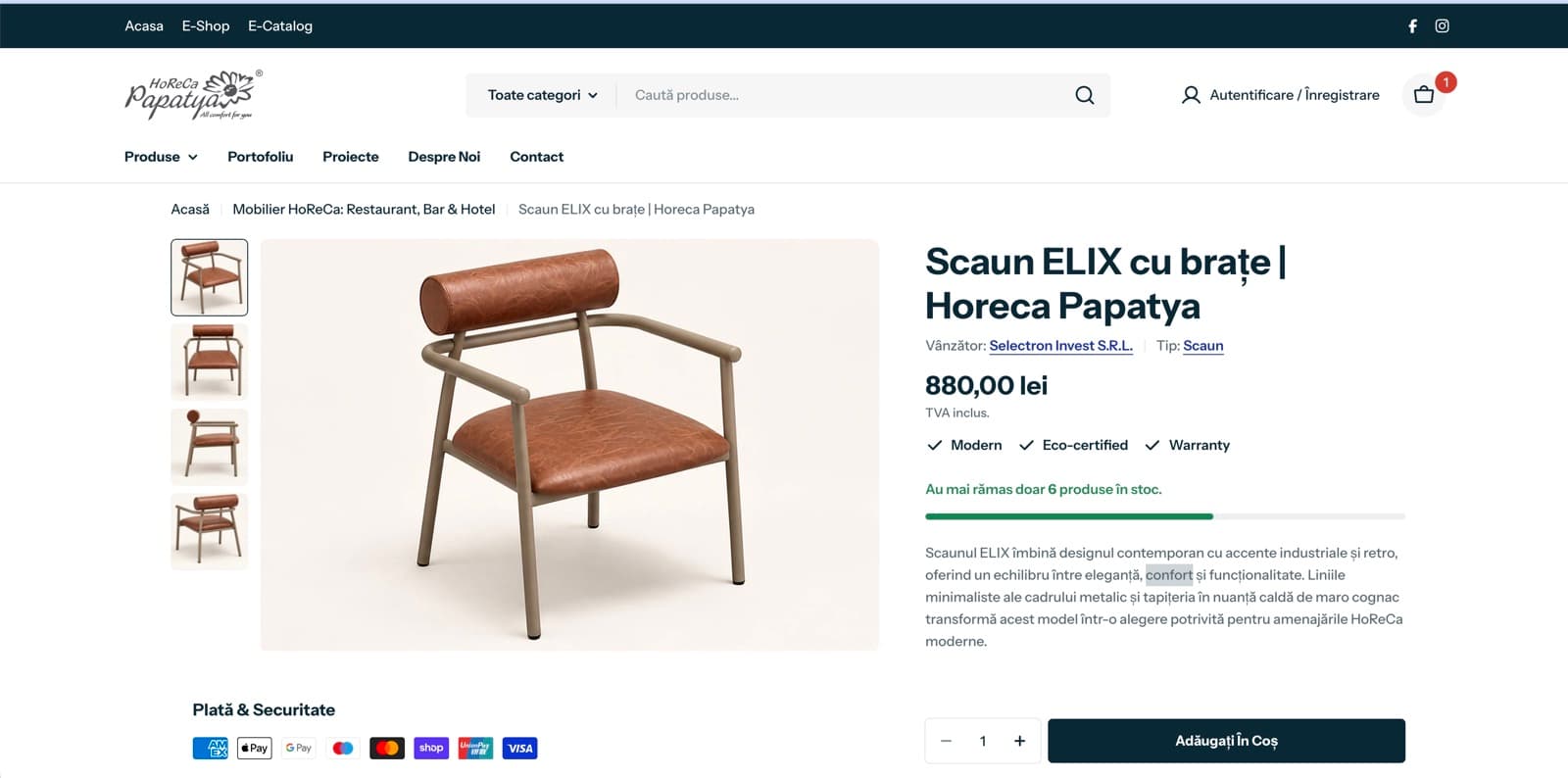
A product page of the new Horeca Papatya Shopify store
Next case study · Hospitality
Two websites merged into one Shopify store